Open Technologies S.r.l.
If the 3D scanner has been in a colder place (outdoors or a warehouse) wait at least two hours before installing
the machine in a warmer place – otherwise, condensation can form which compromises the scanner correct op-
eration.
The 3D scanner must operate away from sources that generate a powerful electromagnetic interference (e.g.:
electric welders, high frequency devices, high voltage cables). Even though in compliance with all the laws reg-
ulating electromagnetic immunity and that Open Technologies have done everything in their power to immunize
the unit from electromagnetic interference, the scanner is after all a precision electronic device therefore power-
ful radio waves may interfere with the scans.
1.8. INSTRUCTIONS FOR CONNECTING THE MACHINE TO THE POWER SUPPLY
Power supply
The 3D scanner will be connected to a power supply with these specifications:
- 1 phase + neutral + ground supply;
- Tensione 100-240 V;
- Frequenza 50-60 Hz;
Moreover, the power line will have to be suitably protected from overloads and short-circuits coming from the
mains mounted on the wall. A line will also have to be supplied, with the correct section, to ensure the ground
link to the machine.
The sockets to be used for the machine must be able to bear the electrical intensity
required during operation.
Command signals
The 3D scanner will have to be connected to an external personal computer in order to receive the start up
command signals of the various devices needed for scanning.
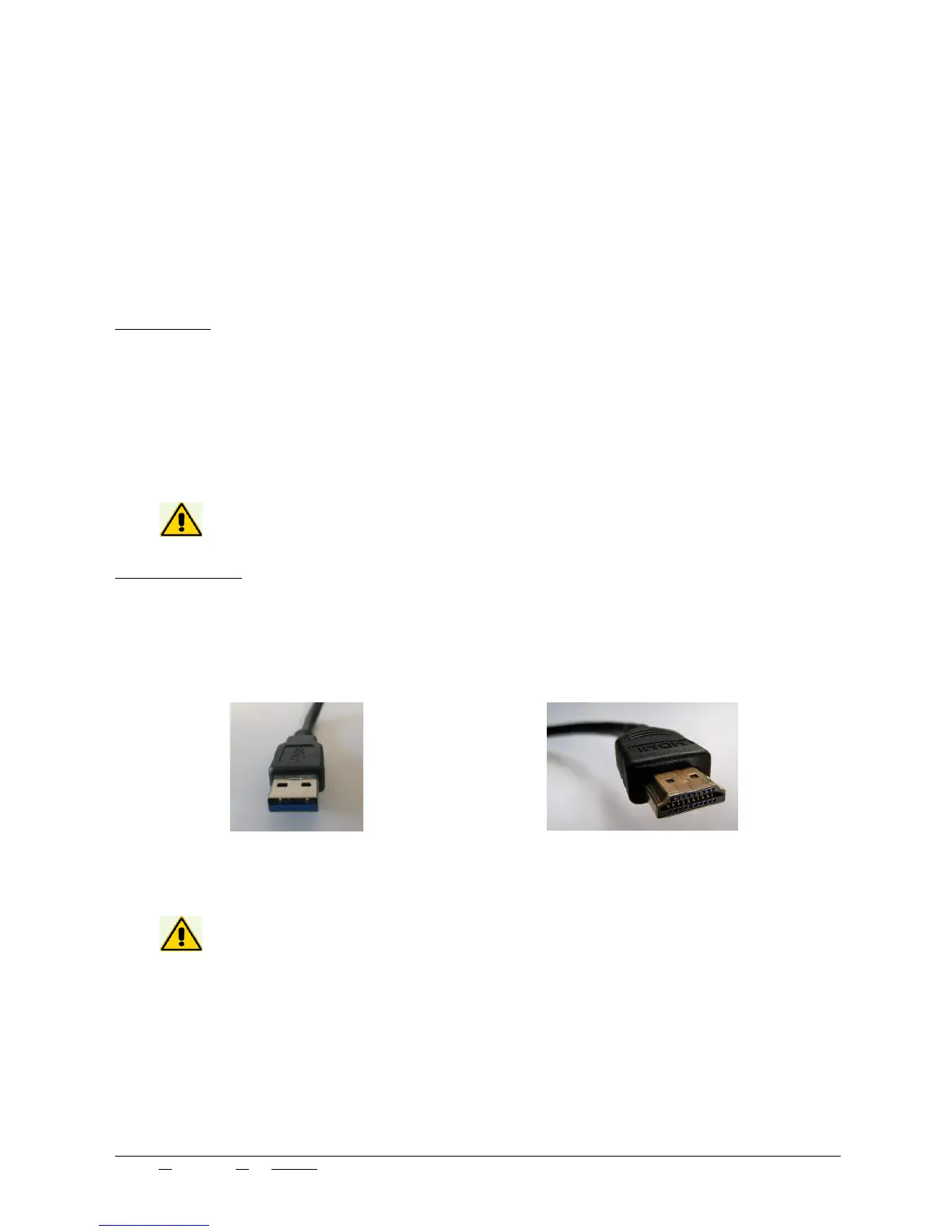
The connectors are:
- a USB 3.0 connector.
- an HDMI connector.
Before connection the scanner to the personal computer, perform the installation of
the software and the drivers included.
Edit N°: 00 - Rev. N°: 01 of 07/17/17 USE INSTRUCTIONS MANUAL
Nome file: NeWay User Manual 2017 rev01.odt Pag. 13 di 26



 To Next Page