
 Need help?
Do you have a question about the Open Technologies NeWay and is the answer not in the manual?
The label with EC marking is on the posterior part of the scanner.
To be inserted in the machine (held with a magnetic lock); it has an adhesive part on which can be fixed a dental model.
To be inserted in the machine (held with a magnetic lock); it has nine positions to fit nine dies simultaneously.
Describes recommended environmental conditions for storing the 3D scanner, including temperature and humidity.
Provides guidance on moving the machine, including lifting procedures and safety precautions.
Details instructions for securing the 3D scanner and managing vibrations during installation.
Specifies the necessary clearance around the machine for operation and maintenance activities.
Outlines the permissible temperature, humidity, and air quality for optimal scanner operation.
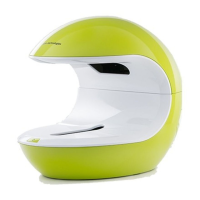
Provides a comprehensive overview of the 3D scanner's structure, components, and their functions.
Describes the machine's safety features, external panels, and the low voltage operation of its motor and projector.
Lists prohibited uses of the 3D scanner, including operating with damaged parts or in wet environments.
States the noise level produced by the machine, measured as sound pressure in the workplace.
Confirms that the unit emits no vibrations, fine particles, or radiation during operation.
Confirms that the unit emits no gasses or fumes during operation.
Refers the user to an attached electrical diagram for details on the machine's electrical system.
Details the procedure for placing objects on the model holder and within the scanning area.
Refers the user to the separate Software manual for details on commands and actions within the 3DScanning manager software.
Covers routine maintenance, record-keeping, use of original parts, and authorized personnel for interventions.
Specifies suitable extinguishers (CO2, ABC powder) and forbids water use on live electrical components.
Warns about toxic fumes that are produced only in the event of a fire.
Steps for the operator to turn off the machine at the end of work, including removing objects and pressing the switch.
Guidance on separating machine parts by material and disassembling components for scrapping.
 General
| Brand | Open Technologies |
|---|---|
| Model | NeWay |
| Category | Scanner |
| Language | English |

 To Next Page