12
12
4
Youcanpress[Menu]
or
[Exit]keystogobackto
3.
3.
3.
3.Channel
Channel
Channel
Channel“EditChannel”menu.
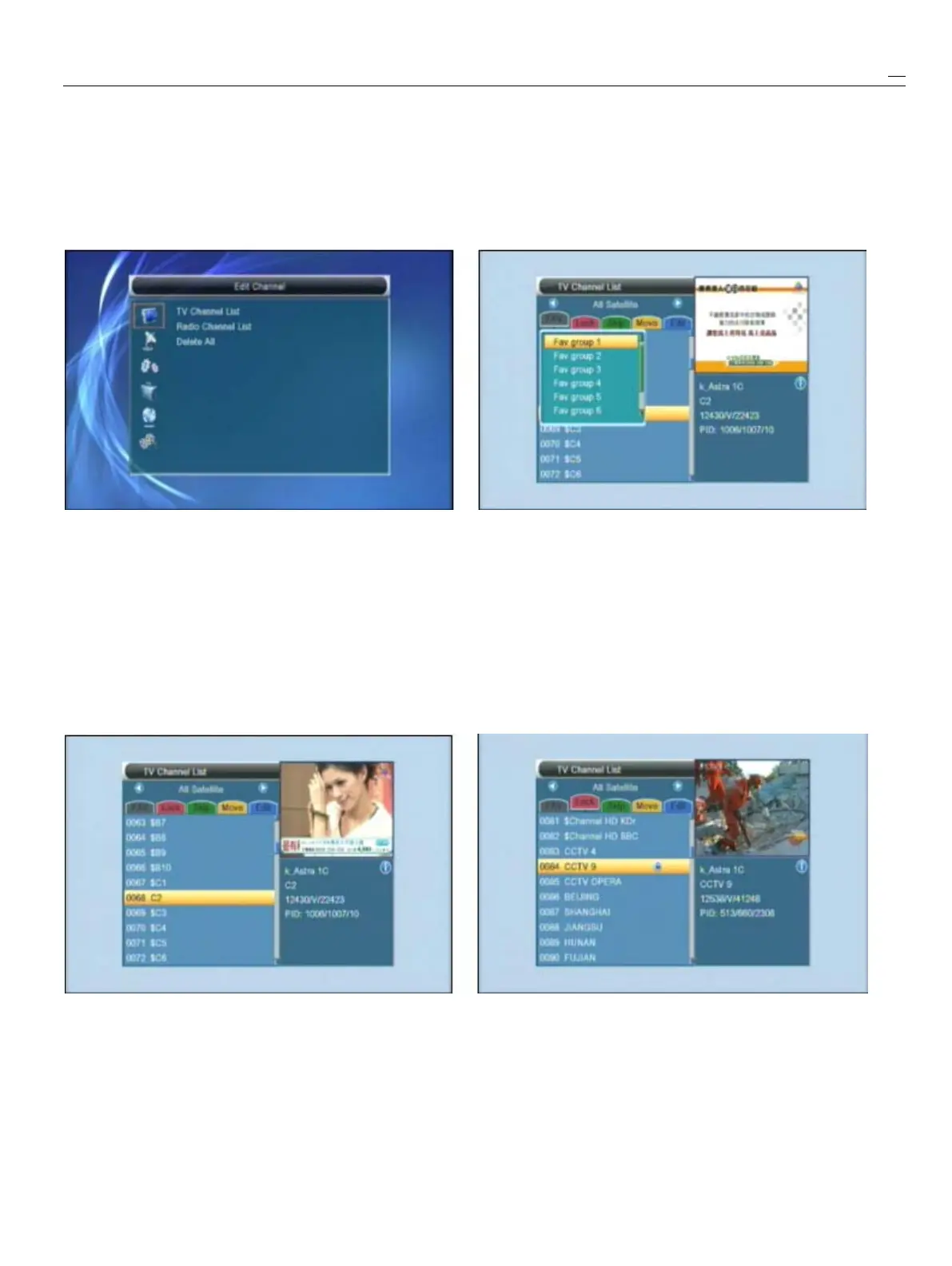
Whenyoupress[Menu]keytoentermenu,therewill
5
Presscolorkeycanimplementthecorresponding
displaythepicturelikebelow:functionin“ChannelList”
.
3.1.1
3.1.1
3.1.1
3.1.1Favorite
Favorite
Favorite
Favorite
1
Press[Up/Down]keytoselectmenupages
1
Pressing
[FAV]
key,thenpressing[OK]keycanopen
amongEditChannel,Installation,SystemSetup,the“Favorite”windowlikeabove
Tools,NetworkLocalSettingandREC(Multimedia)
.
2
Youcanmovehighlightbetween8favoritegroups
2
Press[OK]
or
[Right]keytoenterthe“EditChannel”
.
bypressing[Up/Down]keyandpress[OK]keyto
IfMenuLockis“On”,itwilldisplayandialogueforusermake
a
favoritemarkintheleftsideoftheselected
tokeyinpassword.ThedefaultPasswordis“0000”
.
Favoritegroup.
3
Press[Up/Down]keytoselectmenuitems
3
Pressing[OK]keyonthemarkedFavoritegroup
amongTVChannel,RadioChannelandDeleteAll.cancanceltheexistfavoritemark.
4
Press[Left]key
or
[Exit]keytogobacktomainMenu.
4
Aftermarking,pressing[Exit]keycanbackto“TV
ChannelList”,therewillshow
a
favoritemark
3.1
3.1
3.1
3.1TV
TV
TV
TVChannel
Channel
Channel
ChannelList
List
List
Listbesidethemarkedchannel.
Whenyouenterto“ChannelList”menu,therewill
displaythescreenlikebelow.3.1.2
3.1.2
3.1.2
3.1.2Lock
Lock
Lock
Lock
1
Youcanmovehighlightbypress[Channel
1
Press[Red]keycanenterlockmode.
Up/ChannelDown]keyandpress[OK]keyto
2
Press[Up/Down]keytomovethehighlightandpress
previewthecurrenthighlightedprograminthe[OK]key,itwilldisplay
a
dialoguetoaskyoutoinput
rightsidepreviewwindow.password.Thedefaultpasswordis“0000”
.
Ifyou
2
Youcanpress[PageUp/PageDown]keytoinputthecorrectpasswordyoucansee
a
“lockmark”
implementthePageUp/PageDownfunction.intherightsideofthehighlightedchannel.
3
Youcanuse[VolumeUp/VolumeDown]keyto
3
Aftersaveandexitmenu,STBwillrequestyouto
switch“ProgramGroup”
.
Inputthepasswordwhileyouwanttowatchthe
lockedchannel.



 To Next Page