19
19
4
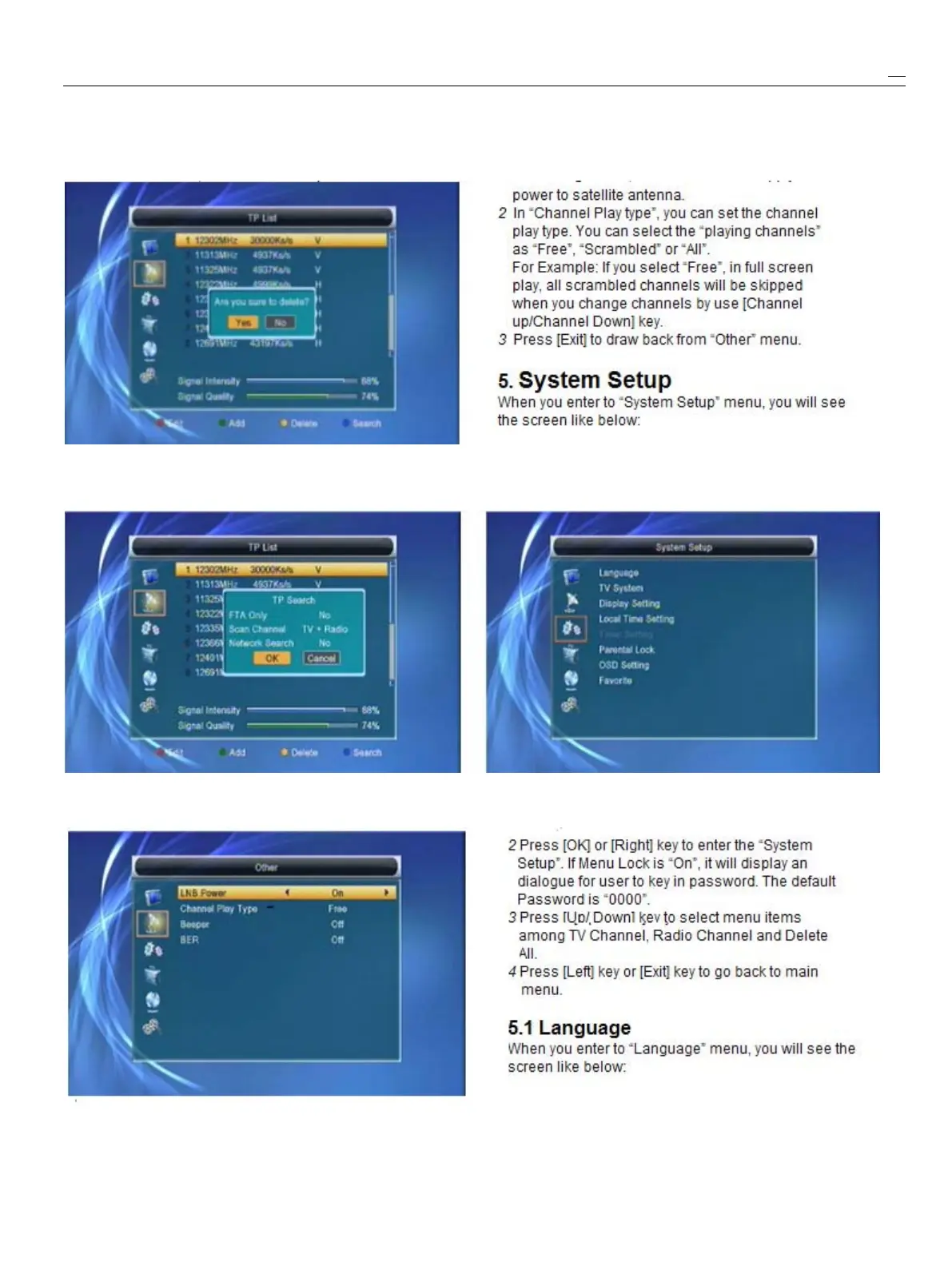
Press[Yellow]keywillopendialogboxaskingyou
1
In“LNBPower”,therearetwooptions,“On”and
whetherconfirmtodeletecurrent
TP.
Whenselect“Off”,foryourselection.Ifthesettingis“On”,the
“Yes”,youwilldeletethechannelwhichhighlightfocusreceiverwillsupplypowertosatelliteantenna.If
on.Whenselect“No”,itwillcanceltheoperation.thesettingis“Off”,thereceiverwon’
t
supply
5
Press[Blue]keywilldisplay
a
dialoguebox.Youcanselect
“FTAOnly,ScanChannel,NetworkSearch”items,thenmove
highlightto“Yes”buttonandpress[OK]tobegintosearch.
1
Press[Up/Down]keytoselectmenupages
4
4
4
4.
.
.
.7
7
7
7Other
Other
Other
OtheramongEditChannel,Installation,SystemSetup,
Tools,EthernetandMultimedia.


 To Next Page