17
17
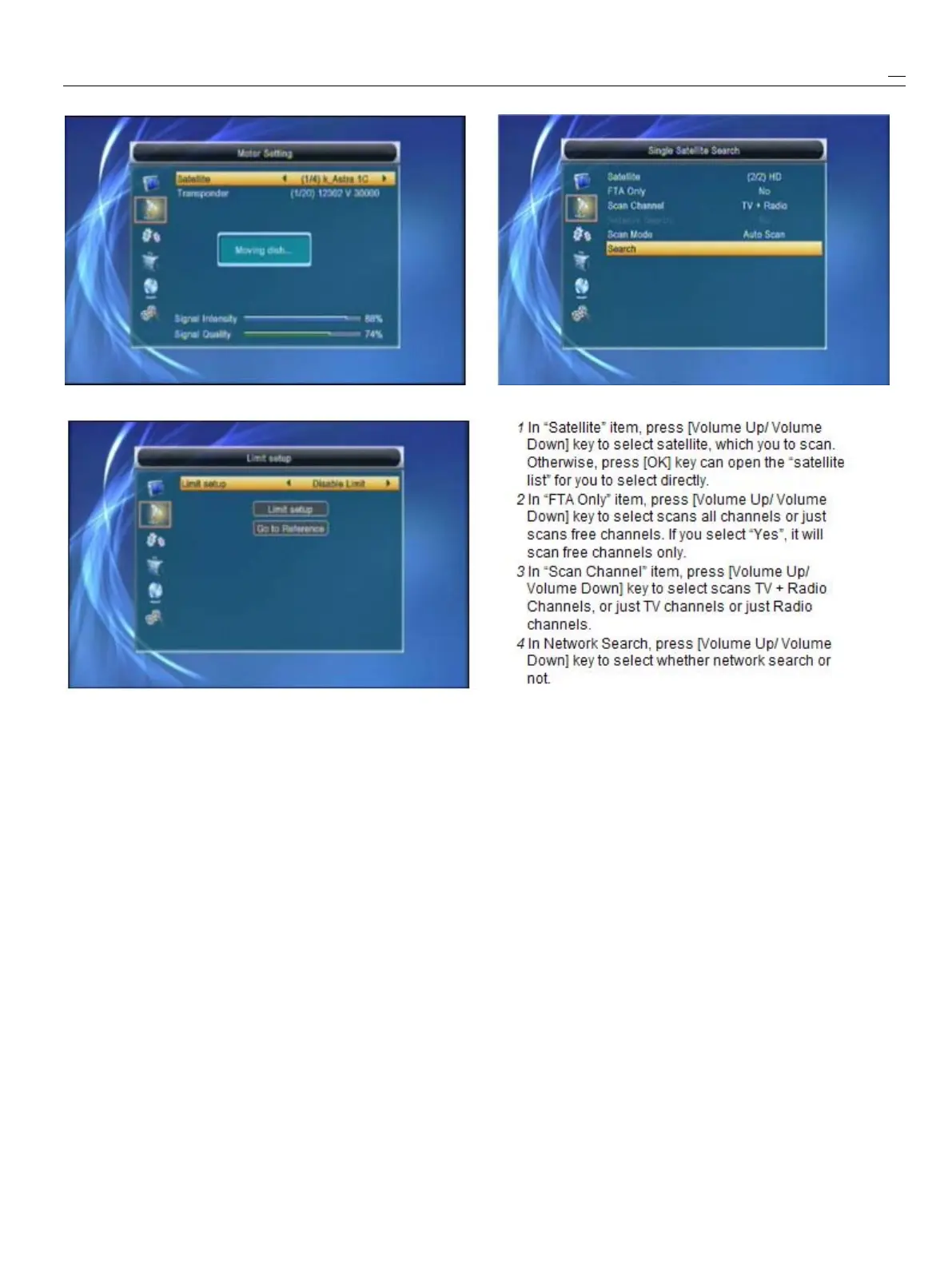
Switchthesatellitecanmovethedishtotherightplace.
6
LimitSetup:
1
Whenyouset“limitsetup”to“WestLimit/EastLimit”,
!
!
!
!
Notice
youcanmovethehighlightto“LimitSetup”lineandYoucanonlydonetworksearchwhenyouselect
movethedishtowest
or
eastbypressing[Left/Right]“PresetScan”.
keymanually.
5
In“ScanMode”item,youcanselect“AutoScan”
2
Whenyouaremovingtothetargetplace,toblindscan
or
select“PresetScan”toscanall
press[OK]keytosavethepoint.presetTPs.
6
Movingthehighlightto“Search”itemandpress
4.4
4.4
4.4
4.4Single
Single
Single
SingleSatellite
Satellite
Satellite
SatelliteSearch
Search
Search
Search[OK]keytostartscanning.Nextscreenwill
Whenyouenterto“SingleSearch”menu,therewilldisplaytheprocessandshowthecurrent
displaythescreenlikebelow:scanningchannel.
7
Ipress[Exit]keytodrawbackfromthescanning
andmeanwhilesavingthecurrentvalue.
4.5
4.5
4.5
4.5Multi
Multi
Multi
MultiSatellite
Satellite
Satellite
SatelliteSearch
Search
Search
Search
Whenyouenterto“MultiSearch”menu,therewill
displaythescreenlikebelow:



 To Next Page