20
20
1
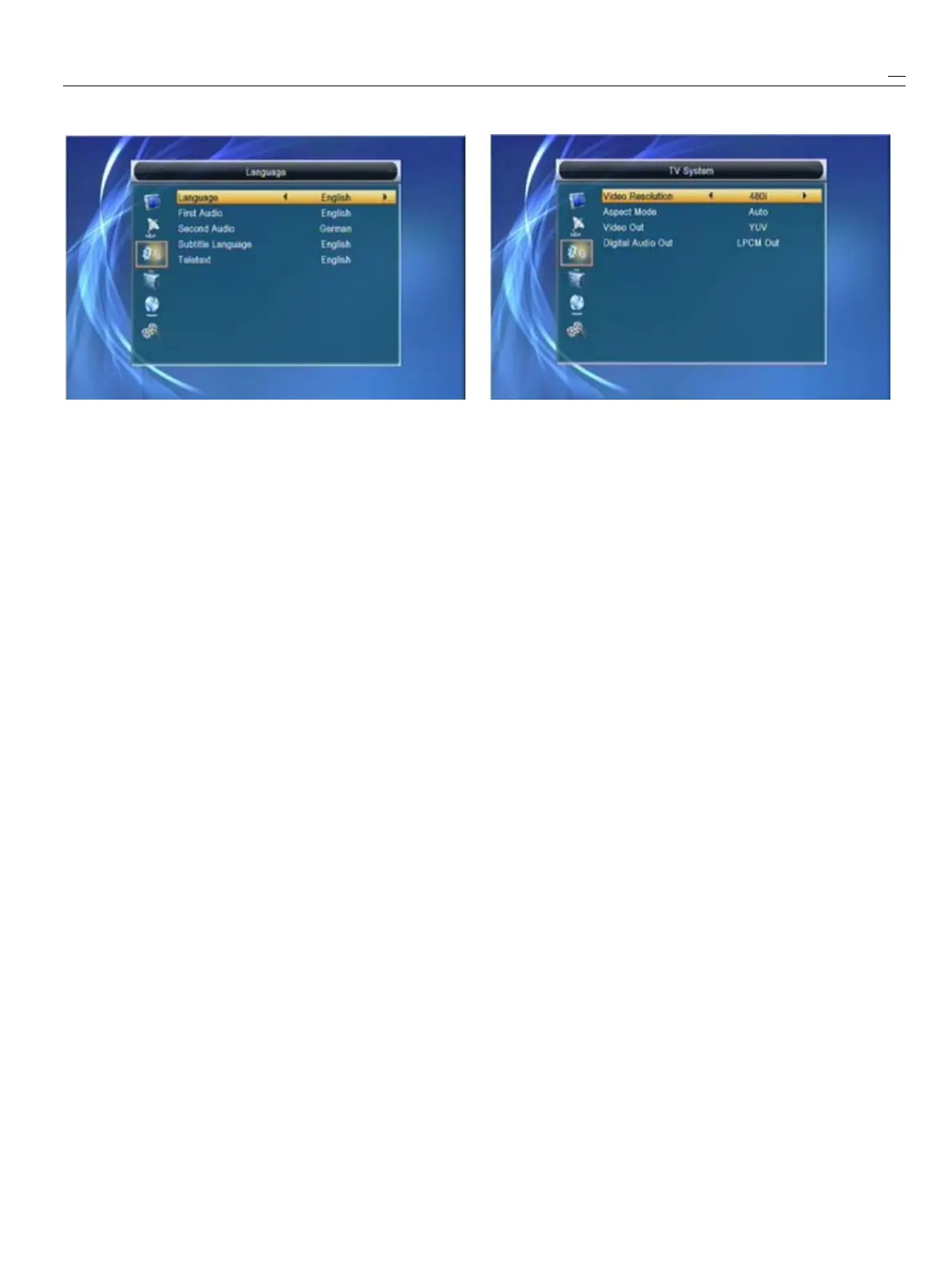
Language:press[Left/Right]keytoselectmenu
1
VideoResolutionisforswitchingthesystem
languages,theselectionsoflanguagesinclude:outputtingvideoresolution.
English,French,German,Russian,Arabic,Movehighlightonitandpressleft
or
rightkey,it
Portuguese,Turkish,Spanish,Polishandwillswitchvideoresolutioncircularlybythe
Italian.sequenceBySource<->ByNative<->480i<->
2
FirstAudio:Somechannelshavemorethanone480P<->576i<->576P<->720P_50<->
audiolanguageforchoosing;bythisfunctionyou720P-60<->1080i_25<->1080i_30.Thiseffectis
cansetthefirstaudioforthischannel.IftheequaltopressV.FormatKeyunderFullScreen
playingchannelhasthesameaudioasthe“Firstandtheirlastsettingsavingwillbeefficientfor
Audio”youset,systemwillplaythisaudioeachothers.BySourcemeanssystemwillsetthe
languageasdefault.Ifthechannelhasn’
t
thevideooutputresolutionaccordingtotheprogram
suitedaudiolanguage,thenthesystemwillit’splaying,differentresolutionprogramsswitching
compareautomaticallywithsecondaudioperhapswillmakesTVscreenflickering.By
language.TheselectionsofaudiolanguagesNativeTVmeanssystemwillbeaccordingtothe
include:English,French,German,Russian,HDMITV’smaxsupportedresolutiontosetits
Arabic,Portuguese,Turkish,Spanish,Polishandresolution,ifsystemisnotconnectedto
a
HMDI
Italian.
TV,
itwillsetresolutiontobedefault.
3
SecondAudio:Ifthechannelhasnocorrespond
2
AspectModeisforswitchingthescreenaspect
audiowith“FirstAudio”buthavecorrespondedratiomode.Nowweprovidebelowoptions:4:3
audiowith“SecondAudio”,systemwillplaythePS
/
4:3LB
/
16:9/Auto.Youcanpress[Left/Right]
secondaudiolanguageasdefault.Ifnoaudiokeytoselecteachmodecircularly.16:9will
languagecorrespondswiththe“SecondAudio”,provideuserpillarboxmodeitmeansuseruse
thenthedefaultlanguageofcurrentchannelwill16:9TVtodisplaybutneedtosee
a
4:3full
beplayedautomatically.Theselectionsofaudiodisplaypicture.Systemwillforcepresswide
languagesinclude:English,French,German,screenpicturetobenarrowandthere’reblack
Russian,Arabic,Portuguese,Turkish,Spanish,bandonleftandrightsite.Automeanssystem
PolishandItalian.won’
t
doanyaspectrationtranslation,16:9picture
4
Teletext:Youcansetteletextlanguage.Ifthesourcewillbegooddisplayon
a
16:9TVbutwill
streamshavethislanguageyoucanseethebetoonarrowon
a
4:3
TV,
and4:3picturesource
teletextinlanguageyouset.willbetoowidein
a
16:9TVbutwillbegood
5
Press[Exit]keytodrawbackfrom“Language”displayin
a
4:3
TV.
menu.
3
RFsystemandRFchannelareforusertosetthe
TVRFmodulatoroutputsignalVHF/UHFchannel
5.2
5.2
5.2
5.2TV
TV
TV
TVSystem
System
System
SystemandTVsystemmode.IfyourTVistoooldto
Whenyouenterinto“TVSystem”menu,youwillseethesupportsCVBS/YPbPr/HDMI,youcanuseTVRF
screenlikebelow:cabletoconnectSTB’sTVRFoutputporttoTV
Antennainputport.
4
HMDIVideoOutisforsettingtheHDMIvideooutput
mode.Ithasoption:RGB-Normal,RGB-Expand,
YCbCr4:4:4andYCbYr4:2:2.Youcanpress
[Left/Right]Keytoselecteachmodecircularly.


 To Next Page