22
22
popandialogueforyoutoinputthepassword.5.6
5.6
5.6
5.6OSD
OSD
OSD
OSDSetting
Setting
Setting
Setting
Defaultpasswordis“0000”
.
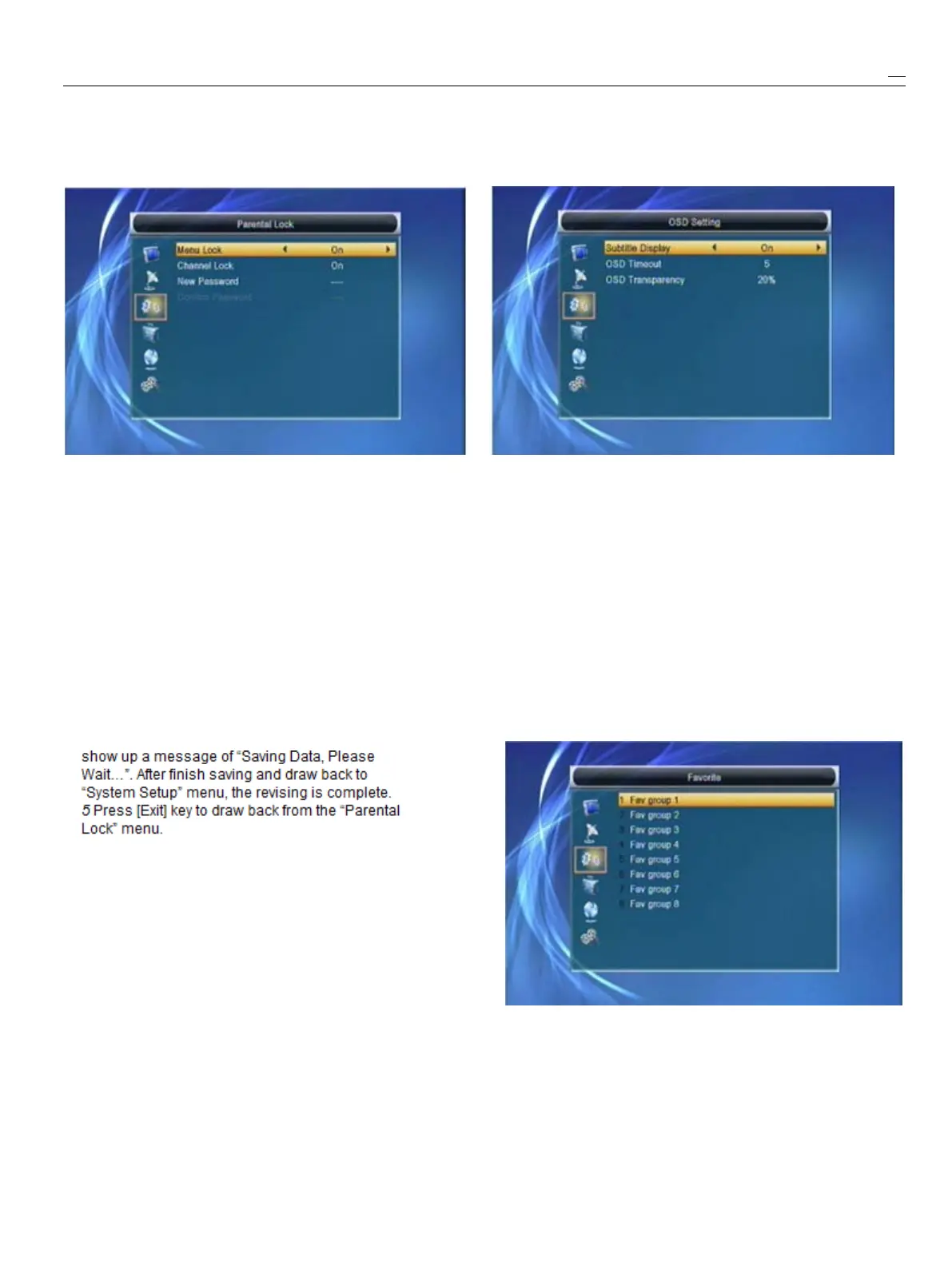
WhenyouinputtheWhenyouinputto“OSDSetting”menu,youwillsee
a
correctpassword,youwillsee
a
screenlikebelow:screenlikebelow:
2
MenuLockdeterminingthatwhenuserswishto
1
OSDTimeout:Whenyouswitchchannelsinfull
enter“EditChannel/Installation/Tools”menu,screen,therewillshowupsomeinformationabout
whetherhavetoinputPassword
or
not.Ifthecurrentchannelonthelowerofthescreen.And
havetokeyinpassword,set“No”meansunlock.regardingtothedurationoftheseinformation
3
ChannelLockdeterminingthatwhenuserswishtoshowuponthescreen,youcanpress[Volume
playthelockchannels,whetherhavetoinputtheUp/VolumeDown]keytosetthetime.Therange
password
or
not.Ifthesettingis“Yes”,playtheofthedurationis“1second~10seconds”.
channelswithlockmarkwillshowup
a
dialogue
2
OSDTransparency:Youcanpress[Volume
onthescreenandaskforthepassword.IftheUp/VolumeDown]keytoselectthevalues.There
settingof“ChannelLock”is“No”,theLockare5levelsoftransparency,10%,20%,30%,and
functionwillinvalid.40%and“NO”(meansnotransparencyfunction).
4
NewPasswordisusedforrevisingpassword;you
3
Press[Exit]keytodrawbackfromthe“OSD
caninputthenewpasswordinthisitembyusingSetting”menu.
numberkeysdirectly.Afteryoufilledin4digital
numbers,thehighlightwillautoskiptoConfirm5.7
5.7
5.7
5.7Favortie
Favortie
Favortie
Favortie
PasswordandaskyoutoinputthenewpasswordWhenyouinputto“Favorite”menu,youwillseea
again.Ifthepasswordiscorrect,thescreenwillscreenlikebelow:
Whenpress[OK]key,youcanrenamethefavorite
group’sname.Itwilldisplaythedialoguelikebelow:



 To Next Page