21
21
5
DigitalAudioOutisforsettingthebothSPDIFand5.4
5.4
5.4
5.4Timer
Timer
Timer
TimerSetting
Setting
Setting
Setting
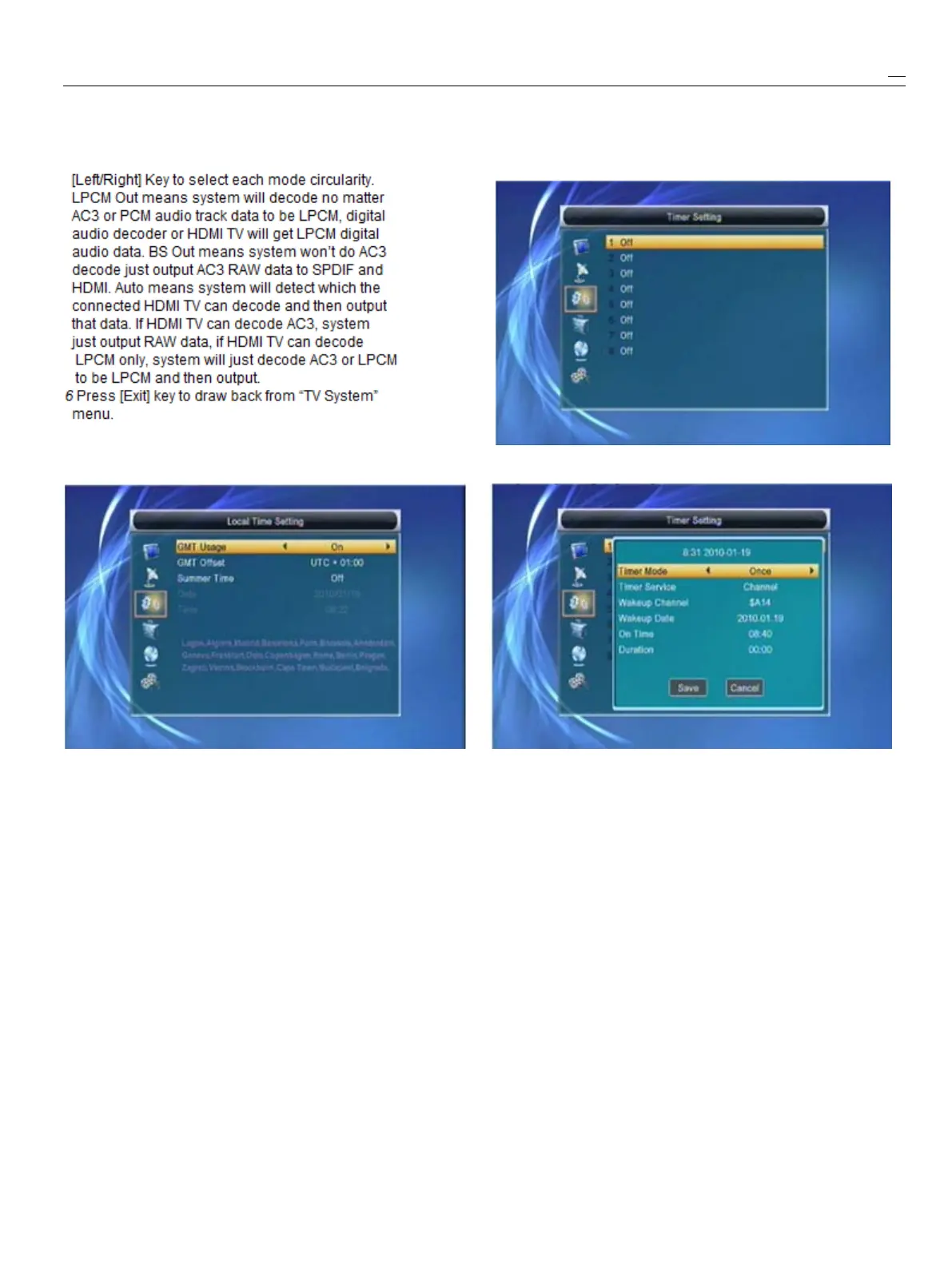
HDMI’sdigitalaudiooutputmode,ithasoptionsSelect“TimerSetting”itemandpress[OK]keyto
LPCMOut,BSOutandAuto,Youcanpressenter“Timerlist”menu.
5.3
5.3
5.3
5.3Local
Local
Local
LocalTime
Time
Time
TimeSetting
Setting
Setting
SettingYoucanpress[up/down]keytoselect
a
timer,then
press[enter]keytoopentimermenu.
1
GMTUsage:Thisitemisuseforopentheusage
1
Currenttimeinformationwilldisplayonthefirst
of
GMT.
Youcanpress[Left/right]keystocolumn;ifthecurrenttimeisincorrect,please
switch“On/Off”
.
modifythetimeinformationin“Time”item.
2
The“GMTOffset”itemisvalidonlywhenthe
2
TimerMode:ThereareseveralmodesforTimer
settingof“GMTUsage”is“On”
.
Youcanpresstosetting,includeOff,Once,Daily
[Left/right]keystoswitch“GMTOffset”value,
3
WakeupChannel:press[OK]keytoenterchannel
andtherangeis“-12:00~+12:00”,increaselistandselectchannelthatyouwanttosetting.
eachhalfhourprogressively.
4
WakeupDate:usenumberkeystoinputyourwakeupdate.
3
SummerTime:Thisitemonlyvalidwhenthe
5
OnTime:usenumberkeystoinputyourwakeupOncethe
settingof“GMTUsage”is“On”
.
When“Summertime’sup,nomatterwhatthetime.systemisinstandby
Time”is“On”,itwilladdonehourtothetime.mode
or
inplayingmode,thesystemwillautomatically
4
“Date”and“Time”itemsarevalidonlywhentheswitchtothechannelyouwantandstarttoplay.
settingof“GMTUsage”is“Off”
.
Youcanpress
6
Duration:Afteryouset
a
timefor“Duration”item,
[Left/rightkeystomovinghighlightanduseoncethetime’sup,thesystemwillautomatically
numberkeystoinputdirectly.Ifthecurrentswitchtostandbymode.Ifyouwantnotworkthis
channelprovidesthecorrecttimeinformation,function,setthedurationis00:00.
youwillseethecurrenttimewhileyou7Movethehighlightto“Save”buttonandpress
enter“Time”menu.Ifthechanneldoesn’
t
[OK]keytosavetimer.Select“Cancel”
or
press
providetimeinformation,youhavetoinputthe[Exit]keytocanceltheoperation.
dateandtimeinformationmanually.
5
Press[Exit]keytodrawbackfrom“Time”menu.5.5
5.5
5.5
5.5Parental
Parental
Parental
ParentalLock
Lock
Lock
Lock
1
In“ParentalLock”line,press[OK]key,therewill



 To Next Page