27
27
8.
8.
8.
8.2
2
2
2Record
Record
Record
Recordmanager
manager
manager
manager8.
8.
8.
8.3
3
3
3HDD
HDD
HDD
HDDInformation
Information
Information
Information
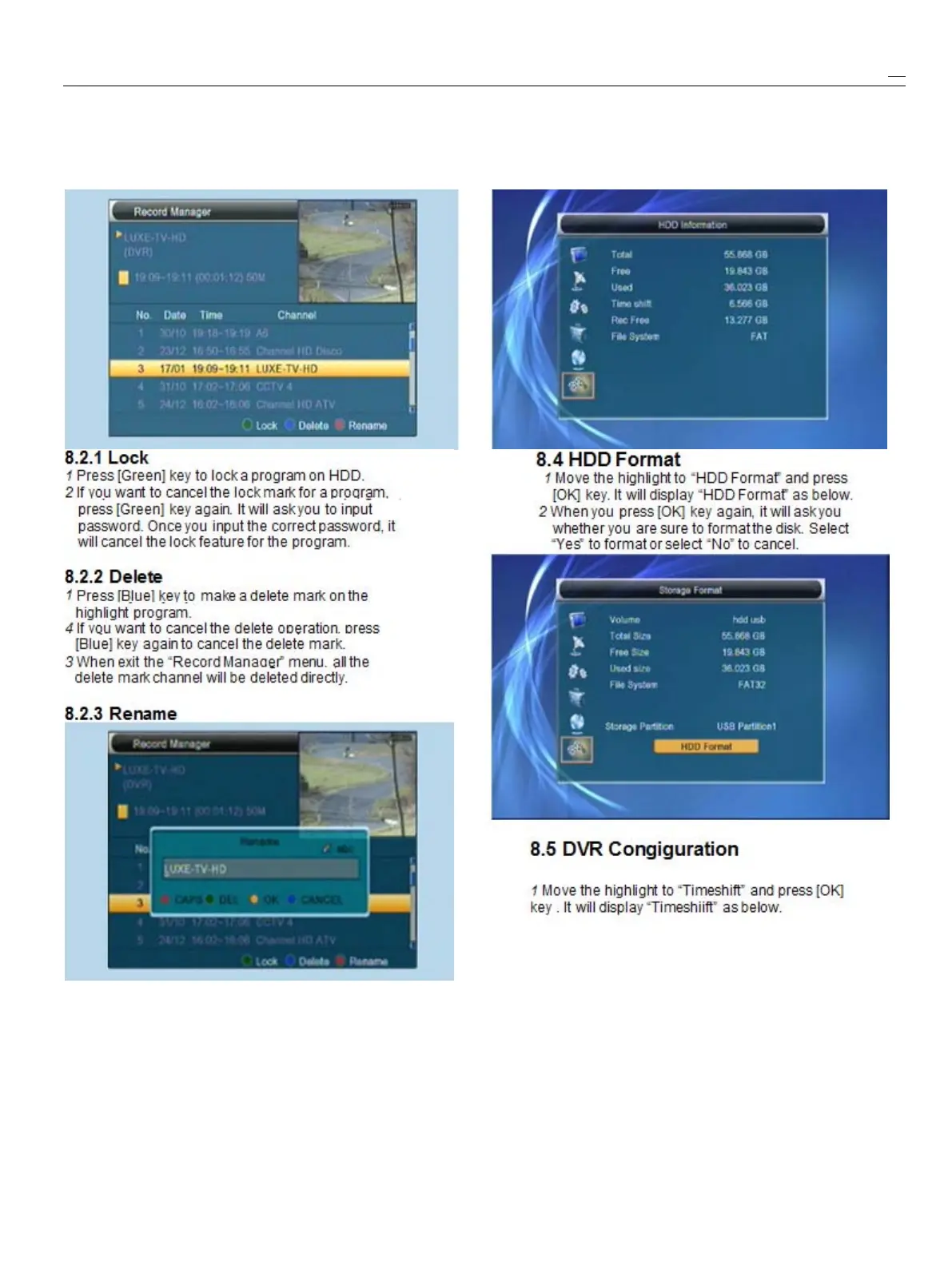
1
Movethehighlightto“HDDInformation”andpress
[OK]key.Itwilldisplay“HDDinformation”asbelow:
1
Press[Red]keytorenamethehighlightprogram.
Itwillshowthe“Rename”window.
2
Youcanpress[Red]keytoswitchcapitalandlowercase.
3
Press[Blue]keytodeletethecharonthecursor.
4
Press[Yellow]keytosavethemodification
5
Press[Blue]keytocancelthemodification



 To Next Page