9
9
2.9
2.9
2.9
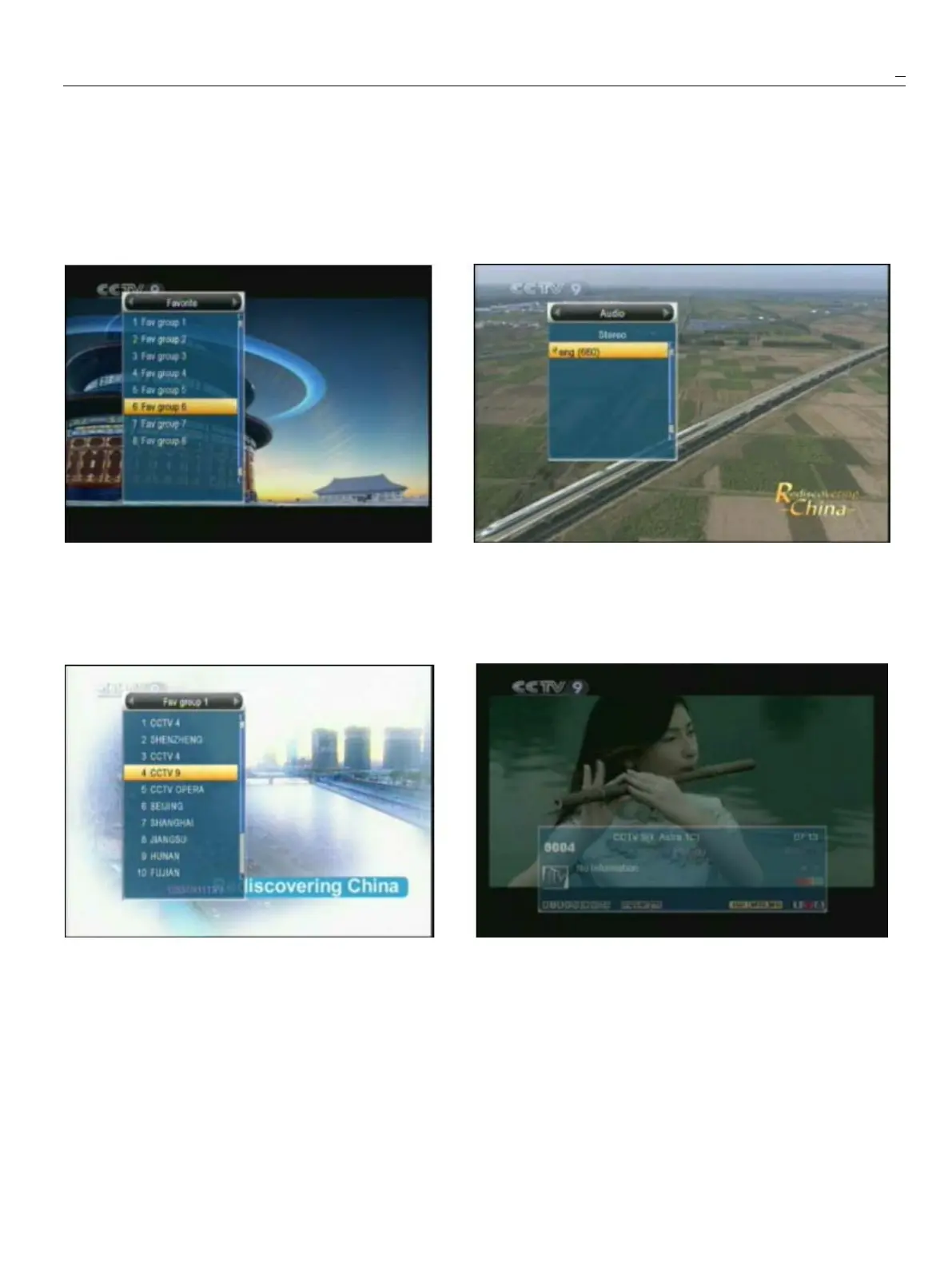
2.9Favorite
Favorite
Favorite
Favorite2.10
2.10
2.10
2.10Audio
Audio
Audio
Audio
1
Infullscreen,press
[FAV]
key,itwilldisplay
a
window
1
Infullscreen,press[AUDIO]keycanopenthe“Audio”
of“FavoriteGroup”ontheleftoftheScreen
.
windowonthescreen.
2
Inthewindowof“Favorite”,youcanmovehighlight
2
Youcanmodifytheaudiotrackbypress[Up/Down]keyand
bypressing[Up/Down]keyandpress[OK]keytomodifytheaudiomodebypress[left/right]key.
enterthegroupyouchose
.
3
Mode:Left/Right/Stereo/Mono.
3
Inthewindowof“FavgroupX”,youcanmovehighlight
bypressing[Up/Down]keyandpress[OK]keyto2.11
2.11
2.11
2.11Information
Information
Information
Information
Switchtothechannel
.
Pressing[PG+/PG-]keyscanInfullscreen,press[INFO]keycanopeninformationwindow,
implementthe“Pageup/Pagedown”function
.
Theparametersofthecurrentchannelwillshowonthewindow.
4
Youalsocanpress[VolumeUp/VolumeDown]2.12
2.12
2.12
2.12EPG
EPG
EPG
EPG
keystoselectdifferent“FavoriteGroup”
.
1
TheSTBhasanElectronicProgramGuide(EPG)tohelp
5
Press[Exit]keytoexitthecurrentwindow.younavigatechannelsthroughallthepossibleviewing
?
?
?
?
Frequently
Frequently
Frequently
FrequentlyAsked
Asked
Asked
AskedQuestion
Question
Question
Questionoptions.TheEPGsuppliesi
i
i
informationsuchaschannel
Q:
Q:
Q:
Q:Why
Why
Why
Whythe
the
the
thescreen
screen
screen
screendisplays
displays
displays
displays“
“
“
“No
No
No
NoFavorite
Favorite
Favorite
FavoriteChannel
Channel
Channel
Channel”
”
”
”,
,
,
,listings,startingandendingtimesforallavailable
after
after
after
afterpressing
pressing
pressing
pressing[Favorite]
[Favorite]
[Favorite]
[Favorite]key?
key?
key?
key?channels.Press[EPG]keytodisplayEPGscreen.
A:Itbecauseyouhaven’
t
setanychannelsas“favorite
channel”.PleaserefertoFavorite.



 To Next Page