14
14
1
Press[Red]keycanswitchwhethercapital
or
not.2Ifyouselect“Yes”,allchannelswillbedeleted.
2
Press[Green]keycandeletethecharonthe3Ifyouselect“No”
or
press[Exit]key,youcanexit
Cursor.thefunctiondirectlywithoutsave.
3
Press[Yellow]keycansavethemodification.
4
Press[Blue]keycancanceltheoperation.
?
?
?
?
Frequently
Frequently
Frequently
FrequentlyAsked
Asked
Asked
AskedQuestion
Question
Question
Question
Q:
Q:
Q:
Q:IF
IF
IF
IFI
I
I
Idelete
delete
delete
deleteall
all
all
allchannels
channels
channels
channelsincautiously
incautiously
incautiously
incautiouslyWhat
What
What
Whatshould
should
should
should
3.1.5.3.
3.1.5.3.
3.1.5.3.
3.1.5.3.Delete
Delete
Delete
Delete
I
I
I
Ido?
do?
do?
do?
Press[Blue]key,thenpress[Up/Down]keyto
movethehighlightandpress[OK]keytomake
a
A:therearetwowaystorestore:
deletemarkintherightsideofthehighlighted
channel.Aftersaveandexit“EditChannel”menu,
To
re-searchallchannelsin“Installation”function.
themarkedchannelwillbedeleted.Use“FactorySetting”functiontorestoreall
channelsin“Tools”function.
3.2
3.2
3.2
3.2Radio
Radio
Radio
RadioChannel
Channel
Channel
ChannelList
List
List
List
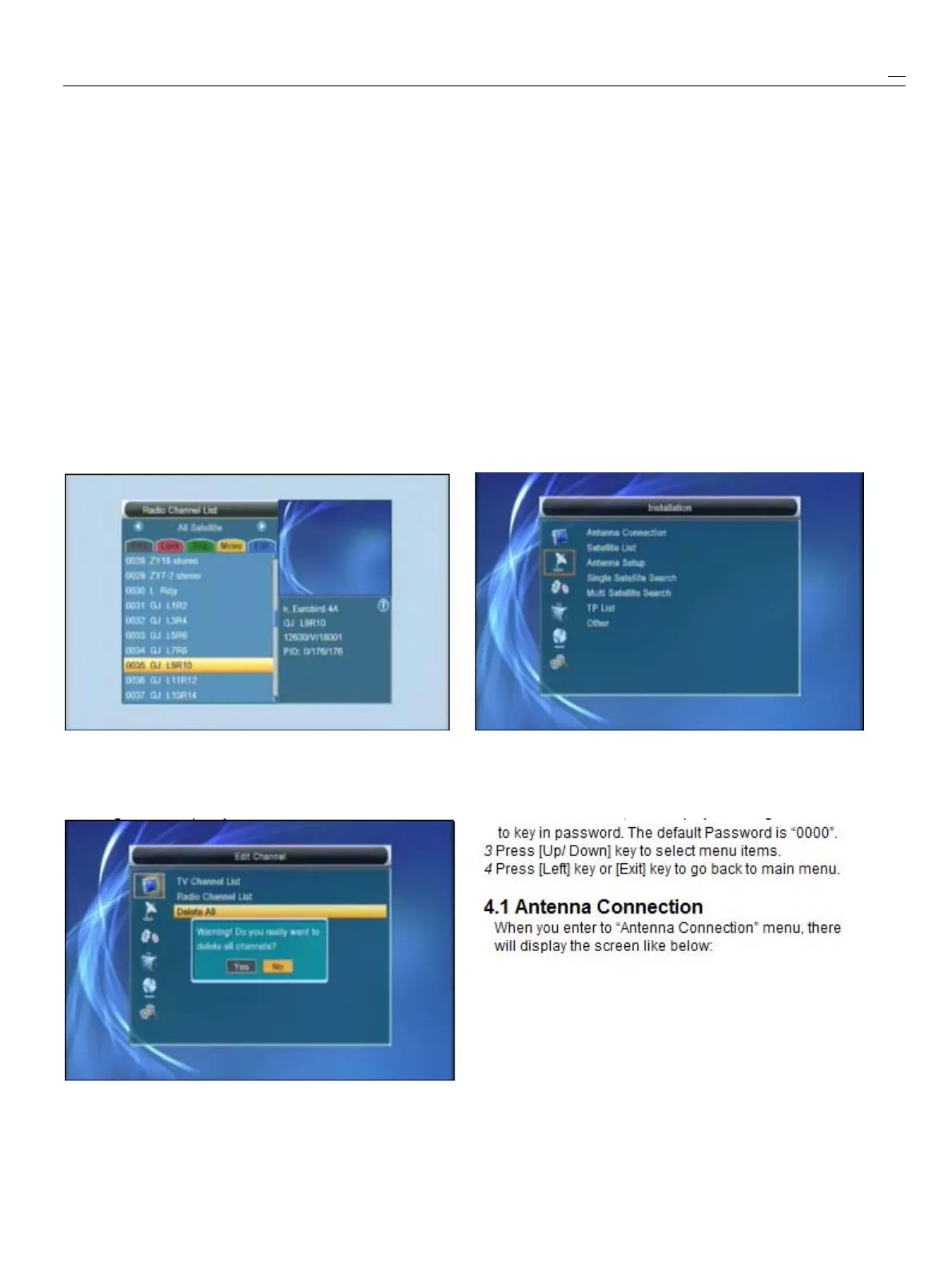
Basically,theoperationof“RadioChannelList”is
sameas“TVChannelList”,butthereisonepoint
different:In“RadioChannelList”mode,thereisno
videoinformation,soitwillalwaysdisplayRadio’s4.
4.
4.
4.Installation
Installation
Installation
Installation
logointherightsidepreviewwindow.
1
Press[Up/Down]keytoselectmenupages
3.3
3.3
3.3
3.3Delete
Delete
Delete
DeleteAll
All
All
AllamongEditChannel,Installation,SystemSetup,
Tools,networklocalsettingandREC(multimedia)
1
Press[Ok]key,itwillshowup
a
warning
2
Press[OK]
or
[Right]keytoenterthe“Installation”
.
If
messageboxtoinquireyouwhetherdeleteall
or
not.MenuLockis“On”,itwilldisplayandialogueforuser


 To Next Page