16
16
1
Satellite:Inthisitem,press[Left/Right]keycanpositions.Itwilldisplay
a
dialogue“Areyou
switchSatellitesandpress[OK]keycanentersure…”
.
Ifyouselect“Yes”,itwillclearall
satellitelistforyoutoselectdirectly.position.Select“No”tocanceltheoperation.
2
LNBFreq:Inthisitem,press[Left/Right]keycanselectThisitemisonlyvalidin“DiSEqC1.2”Mode.
theparameter.Optionis5150/5750/5950/9750/10000/
10050/10450/10600/10700/10750/11250/11300/5150-
5
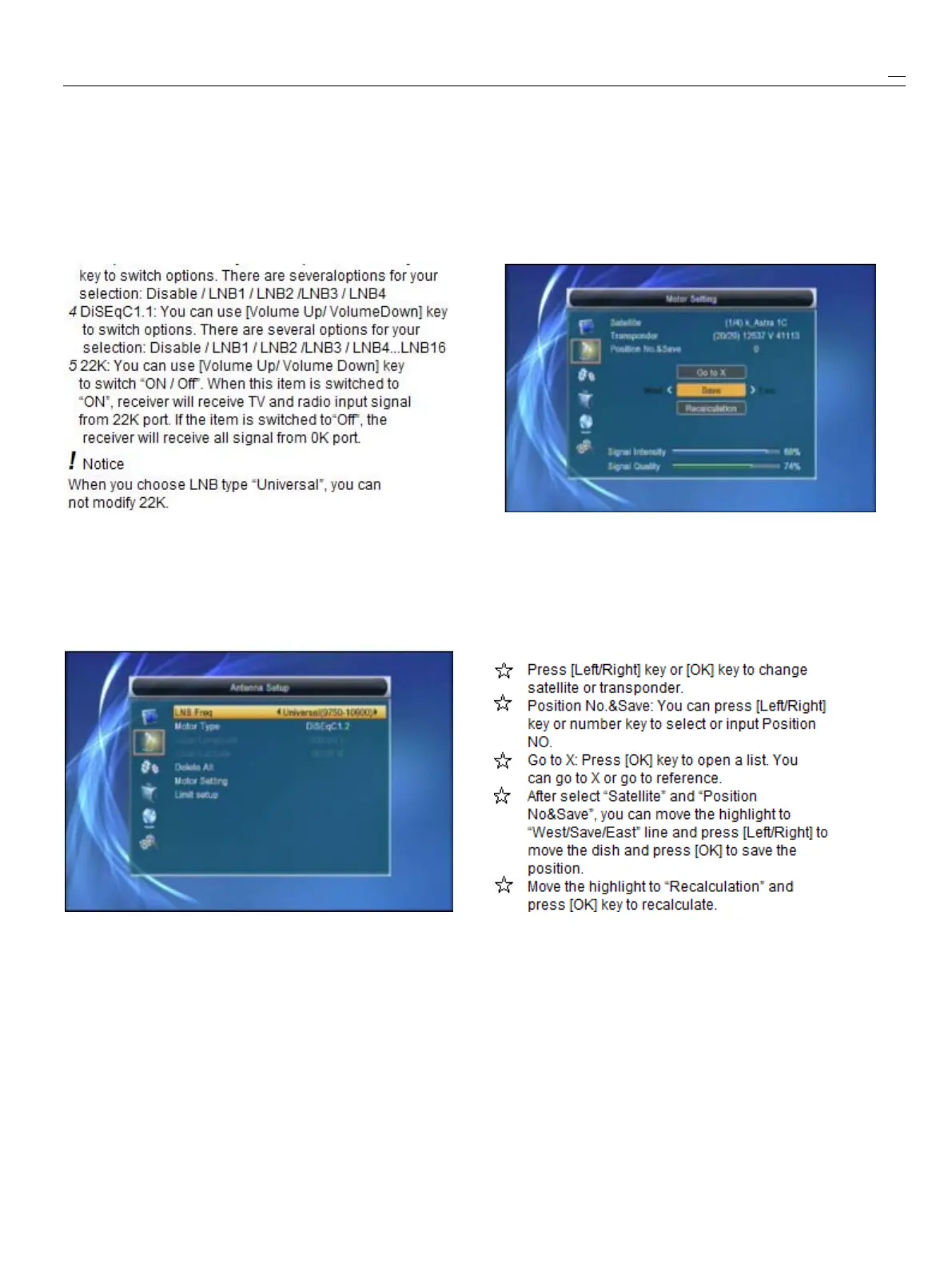
MotorSetting:
5750/5750-5150/Universal(9750-10600)/UnicableIfyouselect“DiSEqC1.2”,“LocalLongitude
/
Local
(9750-10600)/Unicable10200
.
Latitude”isnotavailable.Itwillshowthescreenlike
3
DiSEqC1.0:Youcanuse[Left/Right]below:
6
Toneburst:In“Toneburst”item,youcanpress[Left
/right]toswitch“Off/On”functions.
7
Polarity:In“Polarity”item,[Left
/
Right]keytoswitch
“Auto
/
H
/
V”functions.
Motor
Motor
Motor
MotorAntenna
Antenna
Antenna
Antenna
Ifyouselect“MotorAntenna”in“AntennaConnection”
menu,therewilldisplaythescreenlikebelow:
1
LNBType:
5150/5750/5950/9750/10000/10050/10450/10600/Setthesatellite’slongitudeandlocallongitude
/
local
10700/10750/11250/11300/5150-5750/5750-5150/latitude,USALScanmovedishautomatically.
Universal(9750-10600)/Unicable(9750-10600)
/
Movethehighlightto“MotorSetting”andpress[OK]
Unicable10200key,itwillshowthescreenlikebelow:
2
MotorType:DiSEqC1.2/USALS
3
LocalLongitude/LocalLatitude:Ifyouselect
“USALS”,“LocalLongitude
/
LocalLatitude”is
available.Press[OK]andnumberkeytoinput.
4
DeleteAll:Thisoperationwilldeleteallsatellite


 To Next Page