EasyManua.ls Logo

Openpath Core Series - Page 26

Openpath Core Series
36 pages
Print Icon
To Next Page IconTo Next Page
To Previous Page IconTo Previous Page
Loading...
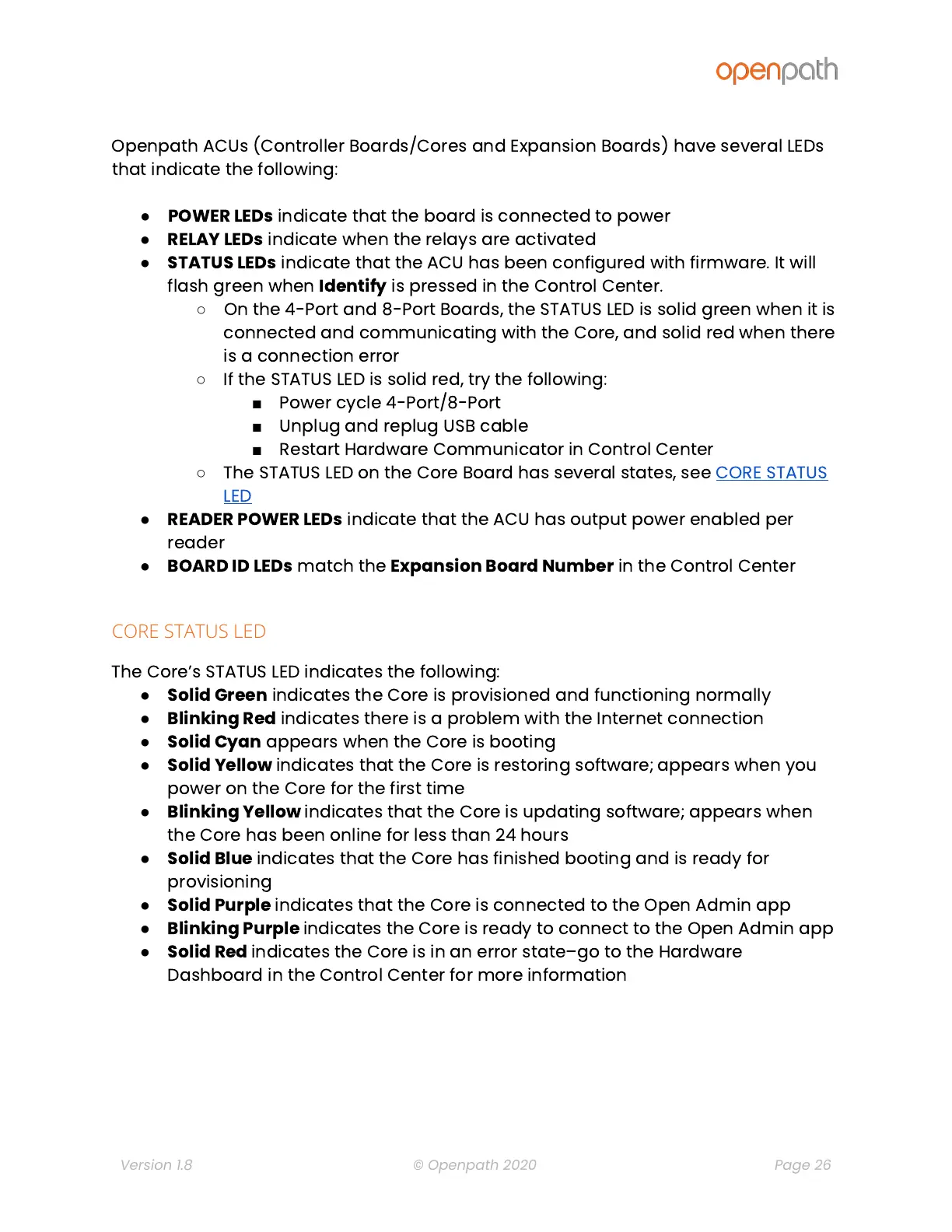
Openpath
ACUs
(Controller
Boards/Cores
and
Expansion
Boards)
have
several
LEDs
that
indicate
the
following:
POWER
LEDs
indicate
that
the
board
is
connected
to
power
RELAY
LEDs
indicate
when
the
relays
are
activated
STATUS
LEDs
indicate
that
the
ACU
has
been
configured
with
firmware.
It
will
flash
green
when
Identify
is
pressed
in
the
Control
Center.
On
the
4-Port
and
8-Port
Boards,
the
STATUS
LED
is
solid
green
when
it
is
connected
and
communicating
with
the
Core,
and
solid
red
when
there
is
a
connection
error
If
the
STATUS
LED
is
solid
red,
try
the
following:
Power
cycle
4-Port/8-Port
Unplug
and
replug
USB
cable
Restart
Hardware
Communicator
in
Control
Center
The
STATUS
LED
on
the
Core
Board
has
several
states,
see
CORE
STATUS
LED
READER
POWER
LEDs
indicate
that
the
ACU
has
output
power
enabled
per
reader
BOARD
ID
LEDs
match
the
Expansion
Board
Number
in
the
Control
Center
CORE STATUS LED
The
Core
s
STATUS
LED
indicates
the
following:
Solid
Green
indicates
the
Core
is
provisioned
and
functioning
normally
Blinking
Red
indicates
there
is
a
problem
with
the
Internet
connection
Solid
Cyan
appears
when
the
Core
is
booting
Solid
Yellow
indicates
that
the
Core
is
restoring
software;
appears
when
you
power
on
the
Core
for
the
first
time
Blinking
Yellow
indicates
that
the
Core
is
updating
software;
appears
when
the
Core
has
been
online
for
less
than
24
hours
Solid
Blue
indicates
that
the
Core
has
finished
booting
and
is
ready
for
provisioning
Solid
Purple
indicates
that
the
Core
is
connected
to
the
Open
Admin
app
Blinking
Purple
indicates
the
Core
is
ready
to
connect
to
the
Open
Admin
app
Solid
Red
indicates
the
Core
is
in
an
error
state
go
to
the
Hardware
Dashboard
in
the
Control
Center
for
more
information
Version 1.8
© Openpath 2020
Page 26