GSM/3G User Manual
53 | 82
5. Routing
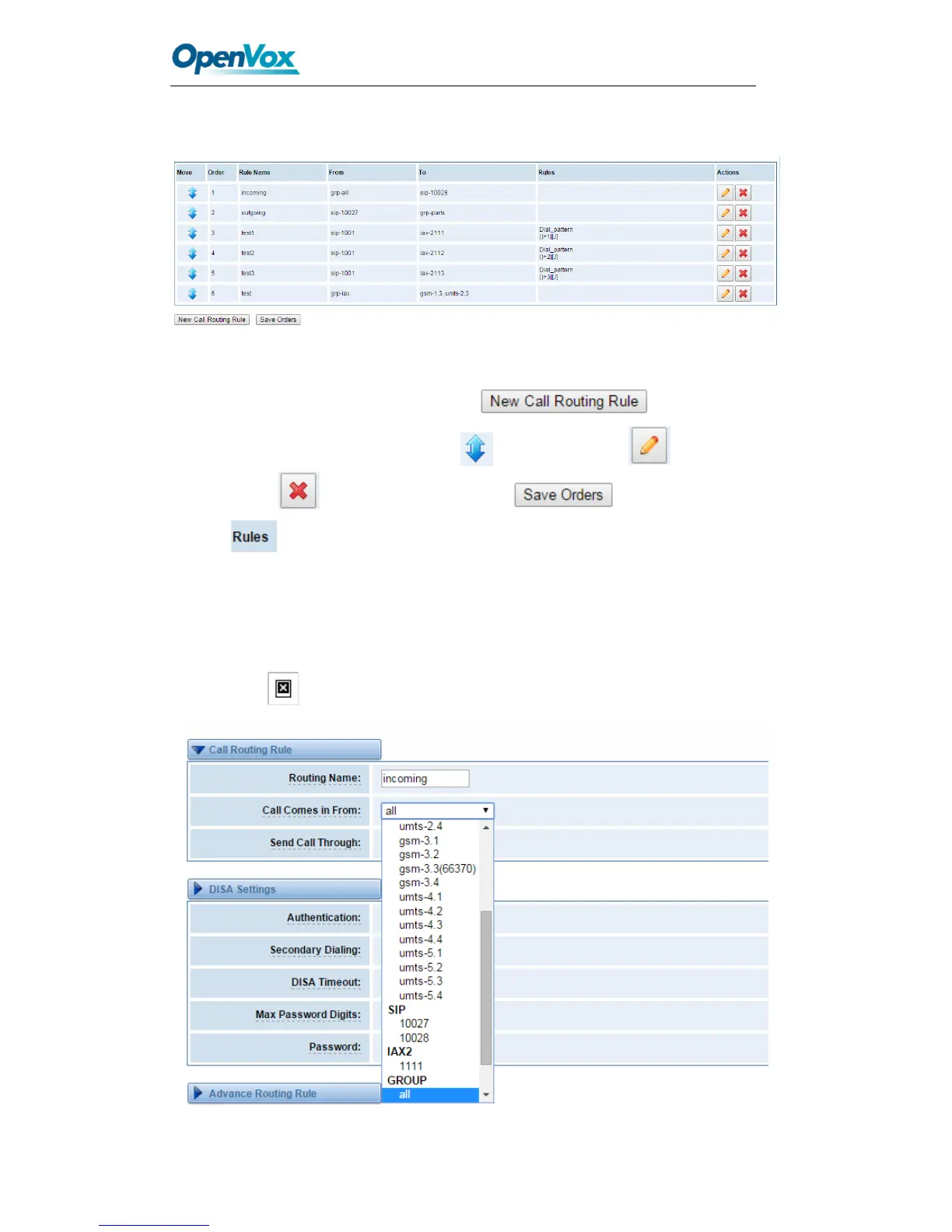
Figure 5-1 Routing Rules
You are allowed to set up new routing rule by , and after setting
routing rules, move rules’ order by pulling up and down, click button to edit
the routing and to delete it. Finally click the button to save what
you set. shows current routing rules. Otherwise you can set up unlimited routing
rules.
Call Routing Rule
You can click button to set up your routings.



 To Next Page