GSM/3G User Manual
66 | 82
7. Network
On “Network” page, there are three sub-pages: “LAN Settings”, “DDNS Settings”, and
“Toolkit”.
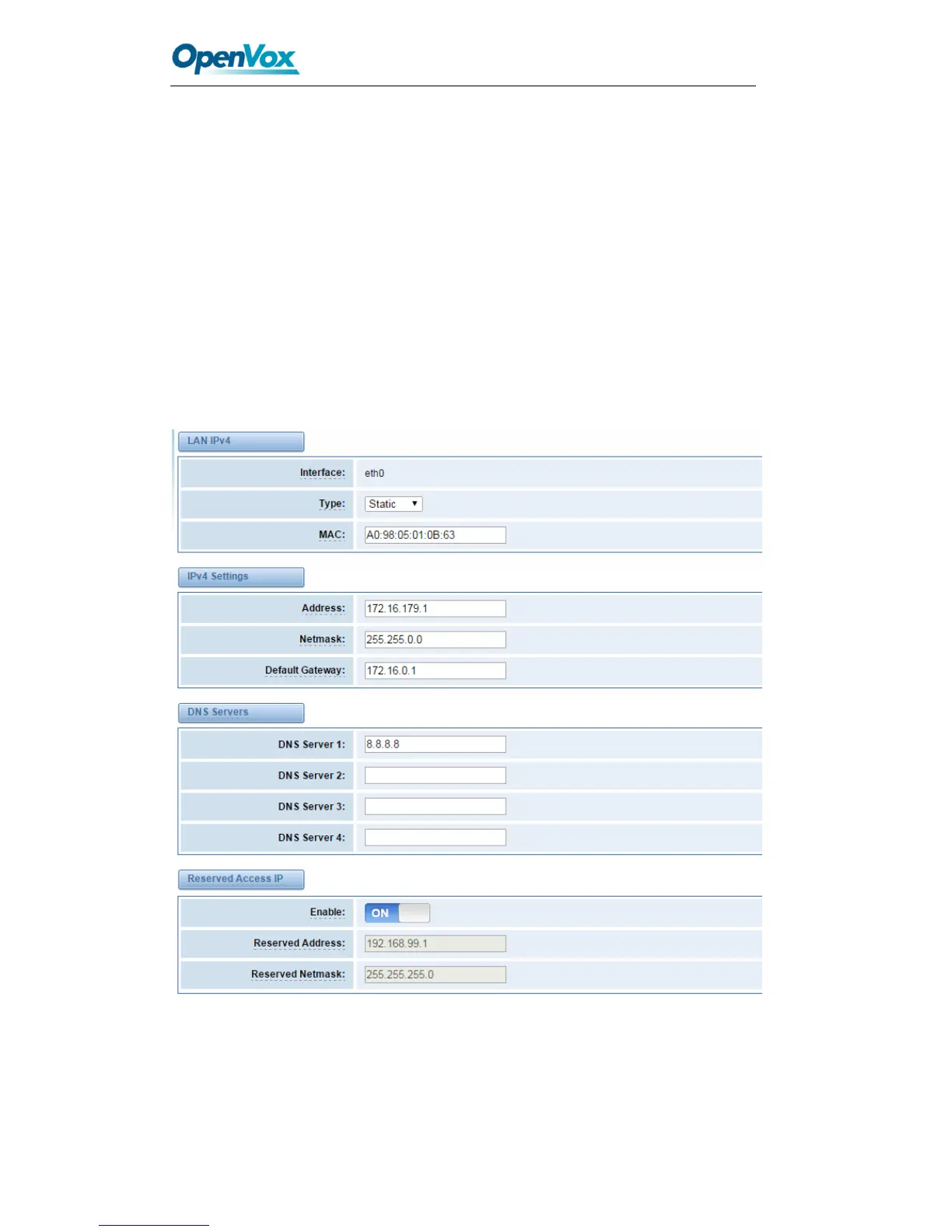
Network Settings
There are three types of WAN/LAN port IP, Factory, Static and DHCP. Factory is the
default type, and it is 172.16.99.1. When you Choose LAN IPv4 type is “Factory”, this
page is not editable.
A reserved IP address to access in case your gateway IP is not available. Remember to
set a similar network segment with the following address of your local PC.
Figure 7-1 LAN Settings



 To Next Page