GSM/3G User Manual
74 | 82
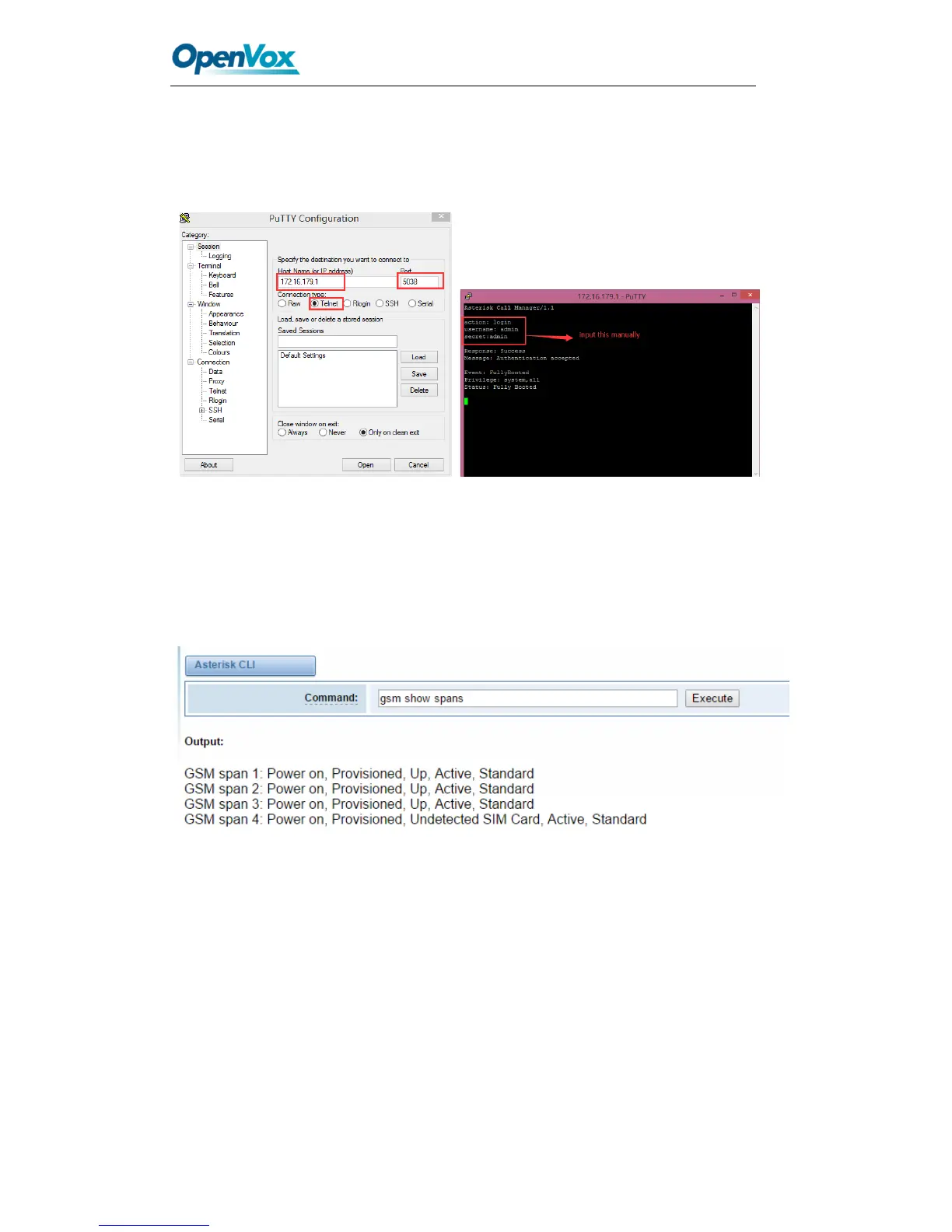
Once you set like the above figure, the host 172.16.100.110/255.255.0.0 is allowed to
access the gateway API. Please refer to the following figure to access the gateway API
by putty. 172.16.179.1 is the gateway’s IP, and 5038 is its API port.
Figure 8-2 Putty Access Gateway API
Asterisk CLI
In this page, you are allowed to run Asterisk commands.
Figure 8-3 Asterisk CLI
Command: Type your Asterisk CLI commands here to check or debug your gateway.
Notice: If you type “help” or “?” and execute it, the page will show you the executable
commands.
Asterisk File Editor
On this page, you are allowed to edit and create configuration files. Click the file to edit.



 To Next Page