GSM/3G User Manual
61 | 82
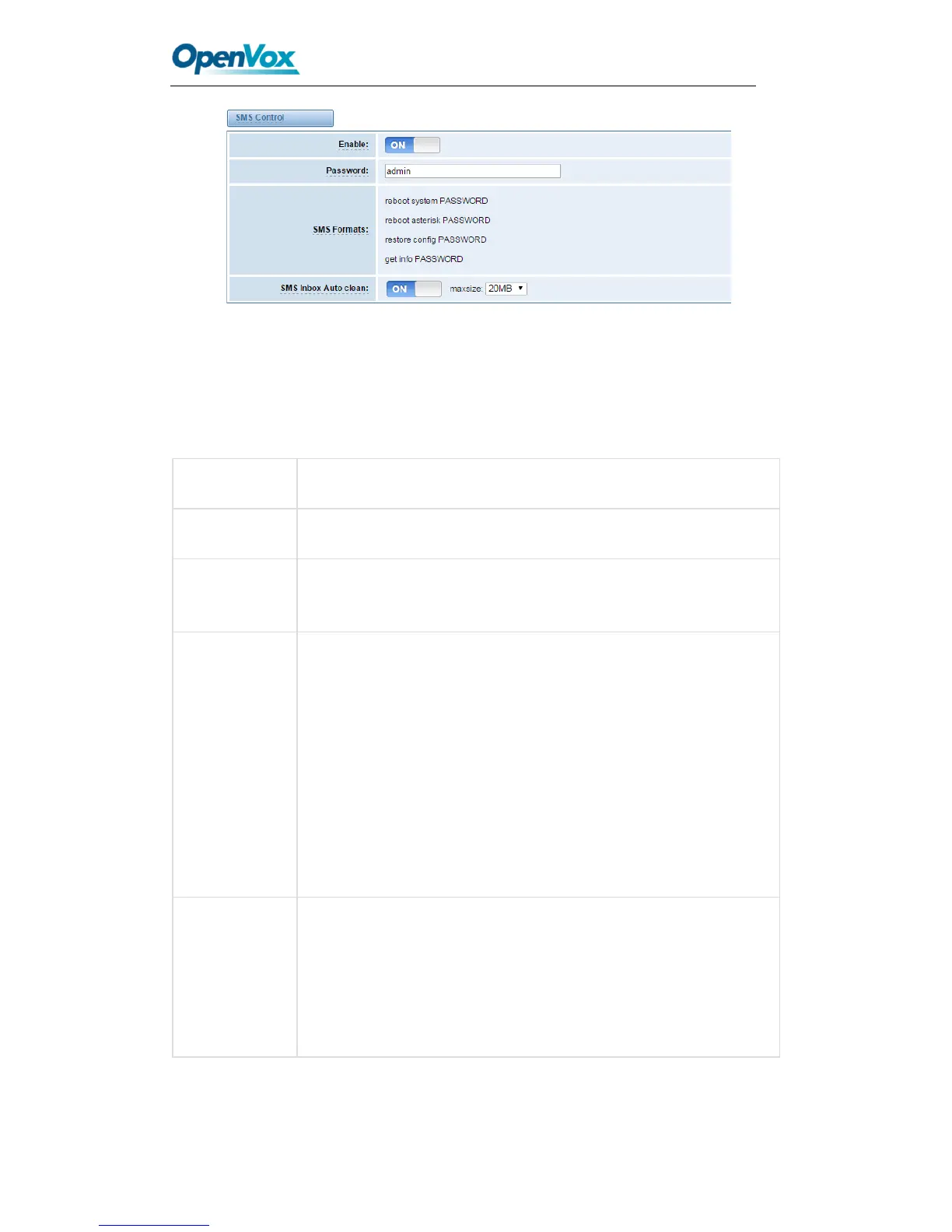
Figure 6-4 SMS Control
For example, SMS control password is 123456789 which has nothing to do with the login
password, you can send “get info 123456789” to the GSM module’s phone number to get
your gateway’s IP information.
Table6-4 Definition of SMS Control
The password to confirm that SMS makes the gateway rebooted,
shut down, restored configuration files and get info on this gateway.
For example, the message formats:
reboot system PASSWORD: To reboot your whole gateway.
The PASSWORD is referring to the PASSWORD you set up from
option “PASSWORD” above.
Reboot asterisk PASSWORD: To restart your gateway core.
Restore configs PASSWORD: To reset the configuration files back
to the default factory settings.
Get info PASSWORD: To get your gateway IP address
switch on: When the size of the SMS inbox record file reaches the
max size, the system will cut a half of the file. New record will be
retained.
switch off: SMS record will remain, and the file size will increase
gradually. default on, max size = 20 MB



 To Next Page