Operating the System 23
AS7200 User Manual - OPEX Corporation
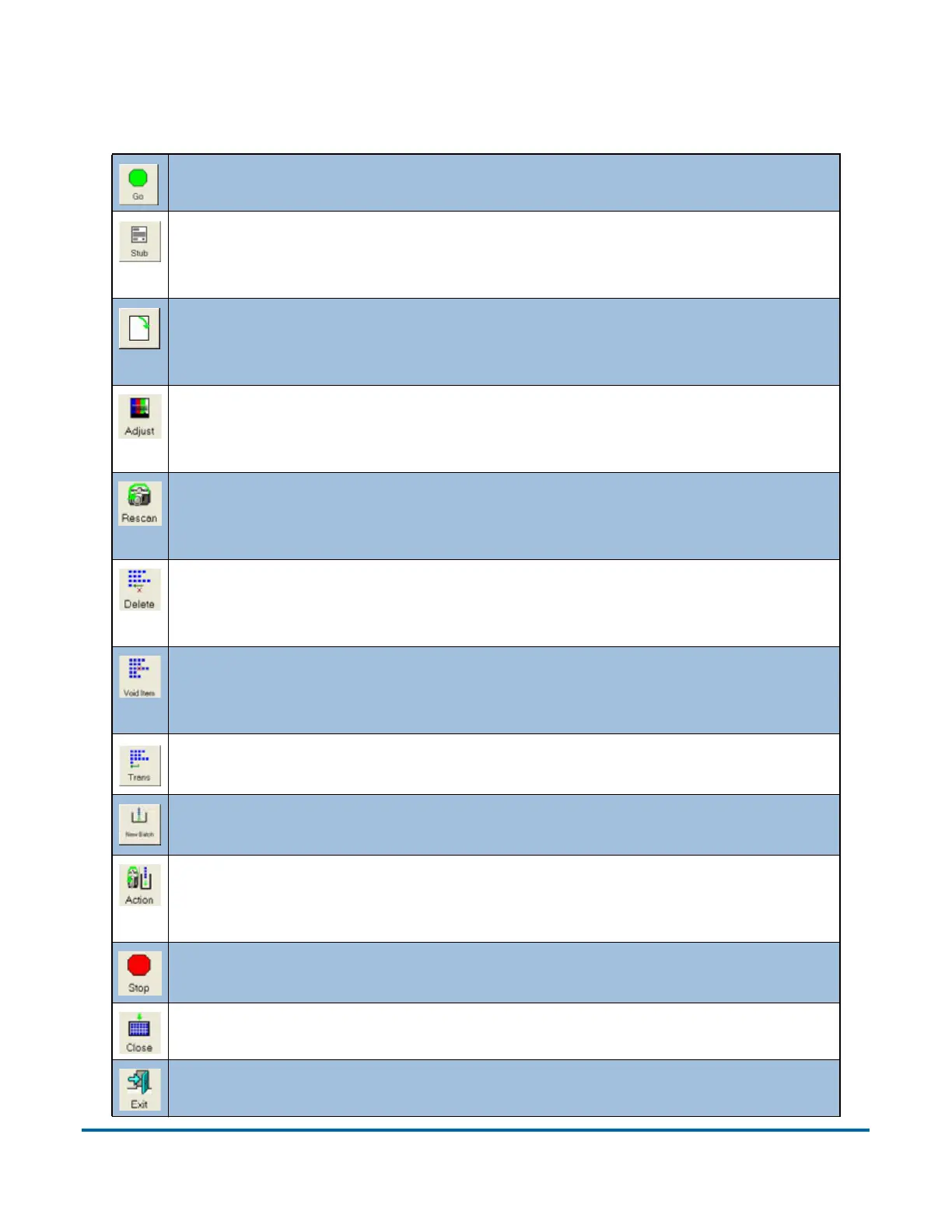
Run screen buttons
Press GO to start the scanner.
The P
AGE TYPE buttons allow the operator to designate the page type
of the next document. The P
AGE TYPE buttons will only be available if
they have been activated for the current job.
ROTATE the image of the selected document. Use the three rotate
buttons to position the image as desired. These buttons will only be
available if activated for the current job.
ADJUST the settings in the Capture Parameters window to enhance
the quality of the output images. See “Adjusting image quality” on
page 40.
Press a RESCAN button to replace a previously scanned image with a
new one. See “Rescanning documents” on page 41 for more infor-
mation.
DELETE a document from the batch. The DELETE buttons, if enable in
the current job, are only available when the machine is stopped. See
“Deleting documents from the batch” on page 41.
VOID the selected document or transaction. The VOID buttons are
only available if activated for the current job. See “Voiding
documents and transactions” on page 42 for more information.
End the current TRANSACTION. This button will only be available if it
has been activated for the current job.
Start a NEW BATCH. This button will only be available if it has been
activated for the current job.
Press the A
CTION button to access the RESCAN, NEW BATCH, and VOID
buttons. The A
CTION button only appears if two or more of these
buttons (R
ESCAN, NEW BATCH, VOID) are enabled.
STOP the machine. This does not end the current batch or transac-
tion.
C
LOSE the current batch.
EXIT the current job and close the Run screen.



 To Next Page