SETUP MENU OPTIONS
67
Down Mix Mode
Down mix is the process of converting multi-channel audio to a lesser number of channels. For
example, converting a 5.1ch source to stereo or converting a 7.1ch source to 5.1ch. Down mixing
allows the audio output from the player to match the exact number of speakers available in your home
theater.
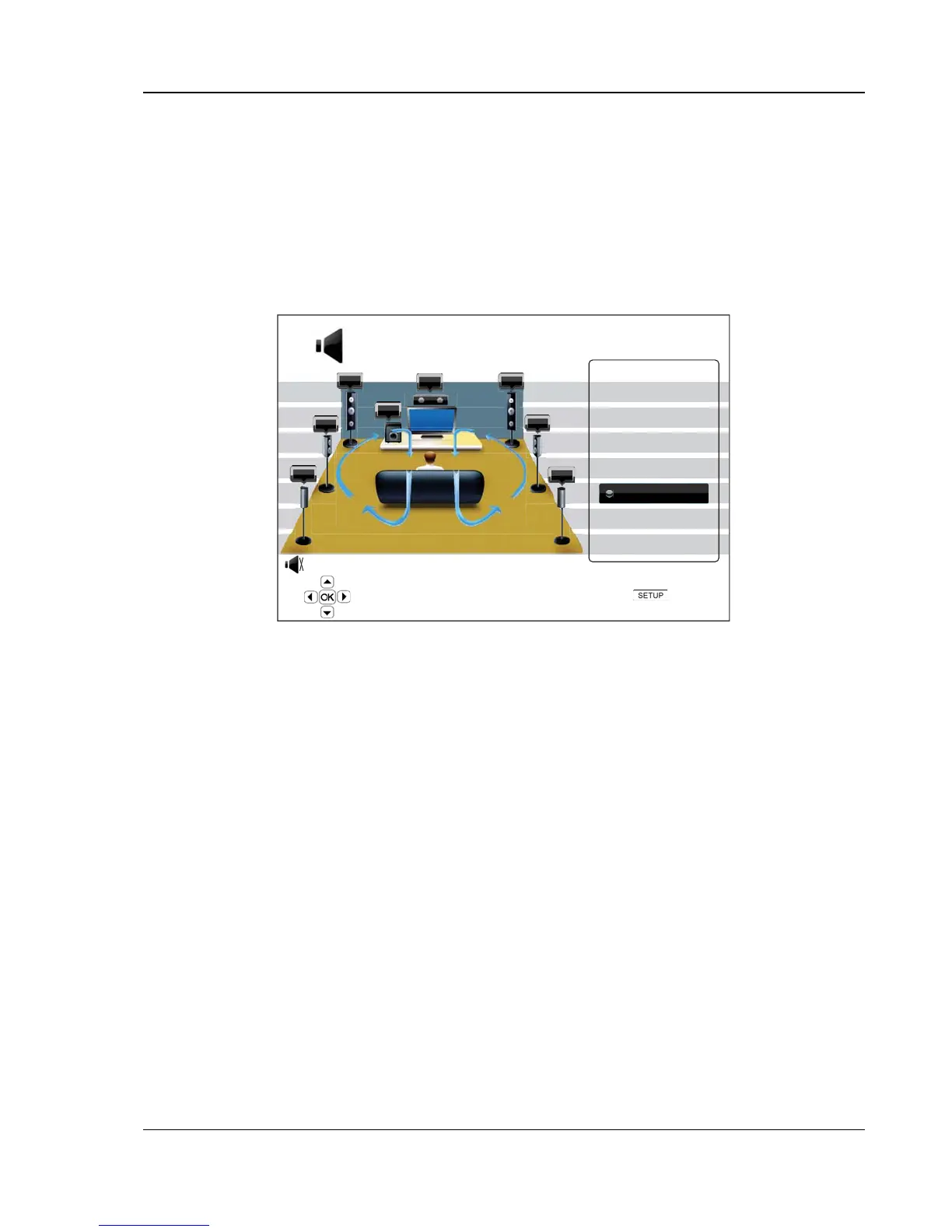
The current down mix mode is displayed in the lower right corner of the speaker placement illustration.
To change the audio down mix setting, press the ENTER button while the cursor is over the “Down Mix”
option. The following down mix modes are available:
FL
SW
C
FR
SR
SBR
SBL
SL
LT/RT
Stereo
5.1Ch
7.1Ch
Speaker Configuration
Exit
Choose down mix mode
Down Mix Mode: 7.1Ch
Down Mix
Test Tone : Off
• LT/RT – Left Total/Right Total. The center and surround channels are mixed into the two front
channels according to the LT/RT matrix. A Dolby Pro Logic receiver will decode the two-
channel audio into surround audio.
• Stereo - This mode down-mixes multi-channel audio to 2-channel stereo output. For original
stereo content the output will not change. For original multi-channel content the surround and
center channels will be mixed with the left and right front channels. Recommended for use with
TV sets or stereo receiver/amplifiers.
• 5.1Ch – This mode enables 5.1ch decoded audio output. The number of actual output
channels depends on the disc. If the source content has more channels, the surround back
channels will be mixed into the surround channels.
• 7.1Ch – This mode enables 7.1ch decoded audio output. The number of actual output
channels depends on the disc. For 6.1ch contents, the left and right surround back speakers
will both output the same surround back audio channel.
Test Tone
Test tone is a special group of artificially-created sounds that are used to test your audio speaker system and
help to identify any wiring faults. By default the Test Tone is set to “Off”, with the status displayed in the lower
left corner of the screen.
To begin the test, press the ARROW buttons to highlight the “Test Tone” option, press the Enter button to
change the test tone status to “On”. Then press ARROW buttons to select a speaker, you will hear the test
sounds. To stop the test process, press ARROW buttons to highlight the “Test Tone” option and press the
Enter button to switch the status back to “Off”.



 To Next Page