Maintenance
- 29 -
optek-Manual--1004-2003-02--AF45-US-2011-01-04
www.optek.com
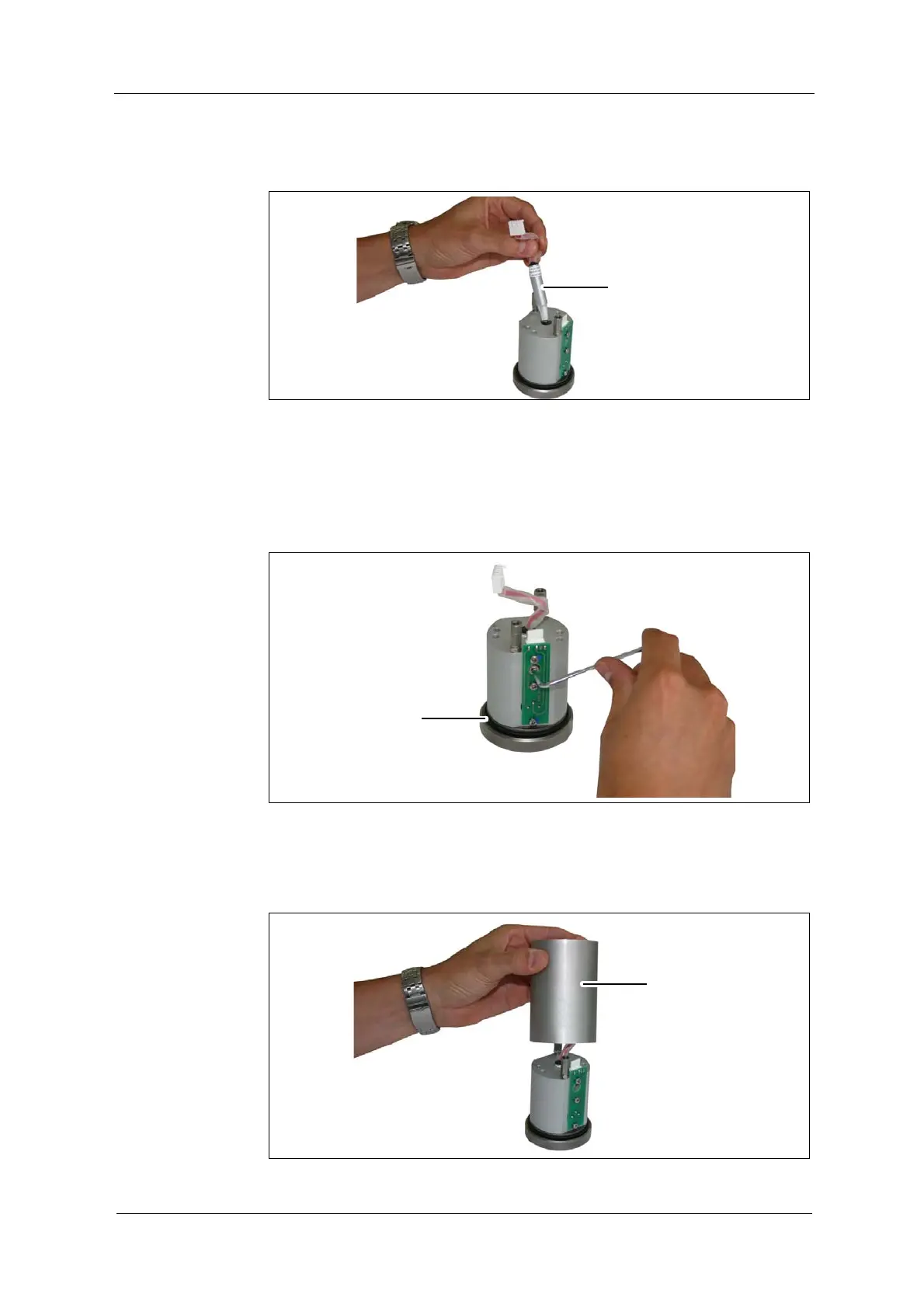
10. Insert new lamp module (6, fig. 27) into the housing.
Fig. 23 Inserting new lamp module
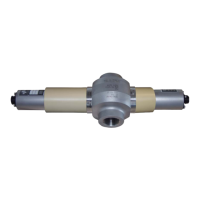
11. Tighten the hexagon socket head cap screw through the drill hole in the
green board.
12. Check if the O-Ring (3, fig. 28) is fitted correctly in the groove of the housing.
Replace it if necessary.
Fig. 24 Hexagon socket head cap screw of lamp module
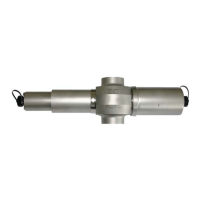
13. Place the optical housing OH02 (7, fig. 29) on the housing and fasten it with
a slight turn.
Fig. 25 Optical housing OH2


 To Next Page