1
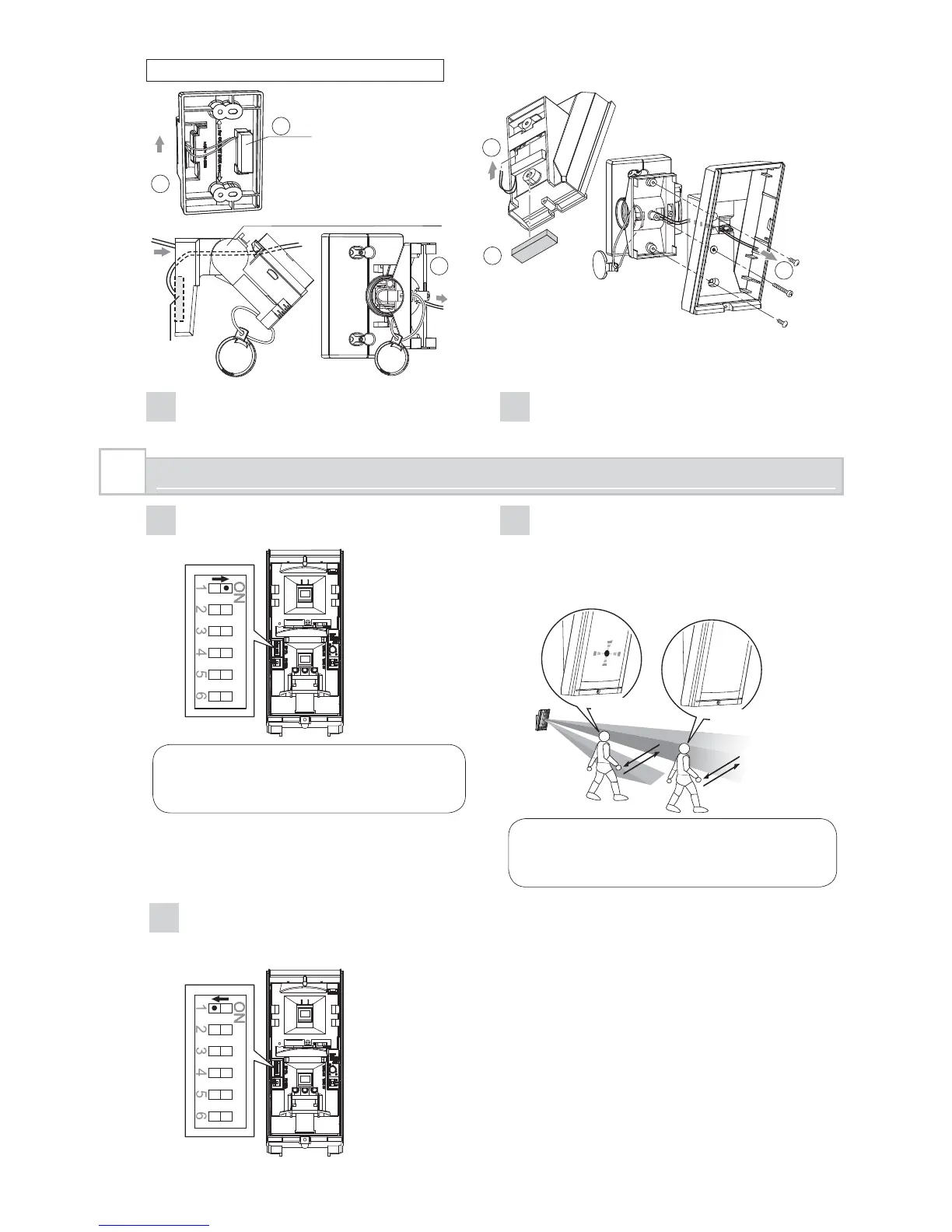
Set the DIP switch 1 (LED ON/OFF) to
“ON”.
Note>>
The switch is set “ON” by factory
default.
2
Check that the detector detects an
object in the intended detection area.
The installation has been successful if
the LED lights for two seconds after a
person walks into the detection area.
Detected
Not detected
Note>>
For the walk test, move more than 1.0 m
(3'3") away from the detector.
3
If the LED indication is not required at all
times, set the DIP switch 1 (LED ON/
OFF) to “OFF”.
3
WALK TEST
2
3
4
6
5
1
4
Install the bracket and the main unit to
the wall surface.
5
Connect the universal magnet switch wiring
to the tamper terminal of the main unit.
When using the bracket
Fix
In
Wiring
sponge pad
Out
In
In
Out
Tilt the bracket about 45° and
pass through the wire.
Magnet
switch
- 12 -



 To Next Page