10
English
Installation
Connecting the Projector
Due to the differ-
ence in applica-
tions for each
country, some
regions may have
different
accessories.
S-Video Output
Video Output
DVD Player, Set-
top Box,
HDTV receiver
RGB
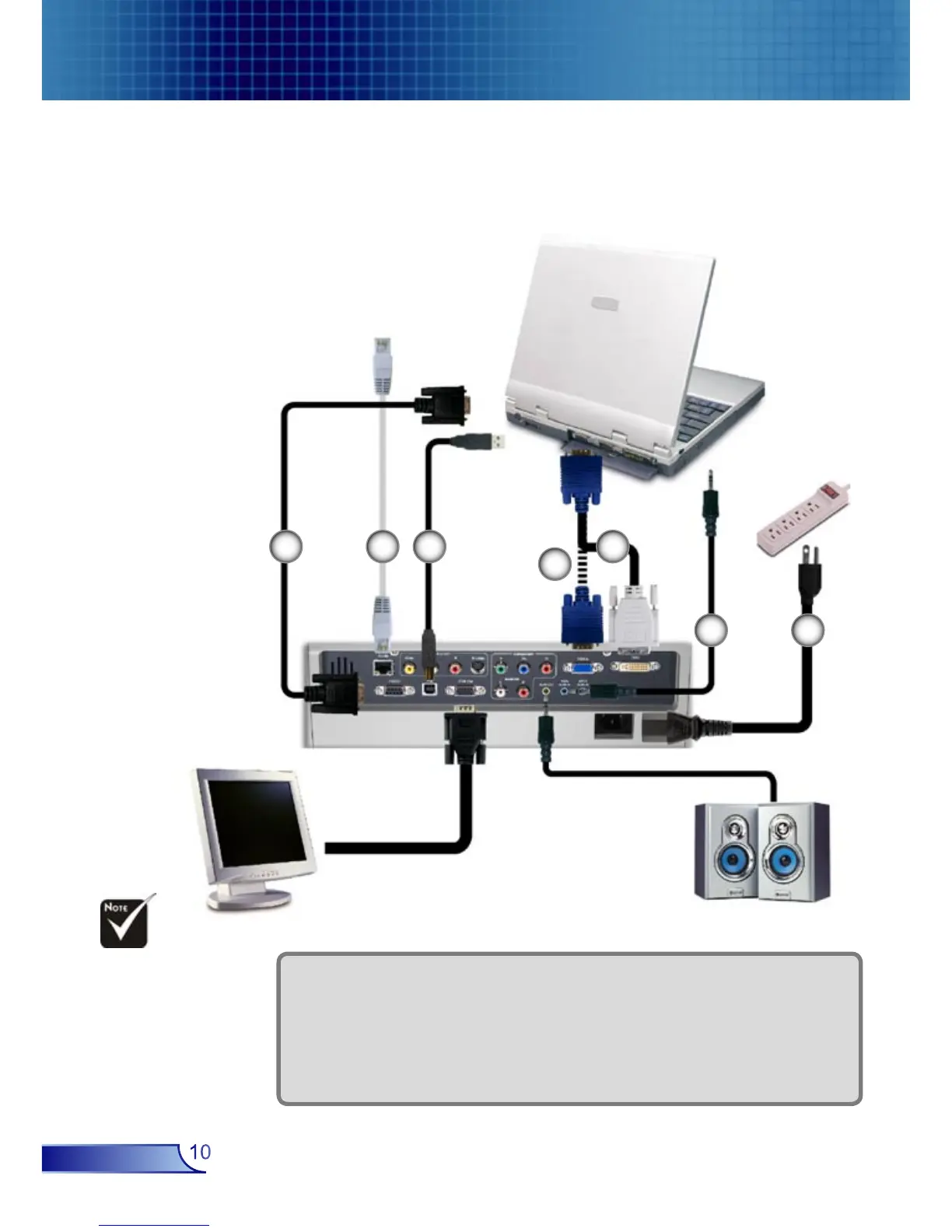
1. .............................................................................................................Power Cord
2. .................................................................................................Audio Input Cable
3. ................................................................................................. DVI to VGA Cable
4. ............................................................................................... VGA to VGA Cable
5. ............................................................................................................... USB Cable
6. ....................................................................................................... Network Cable
7. ............................................................................................................ RS232 Cable
USB
Connect the Computer/Notebook
1
3
2
7 6 5
4
RGB



 To Next Page