16
English
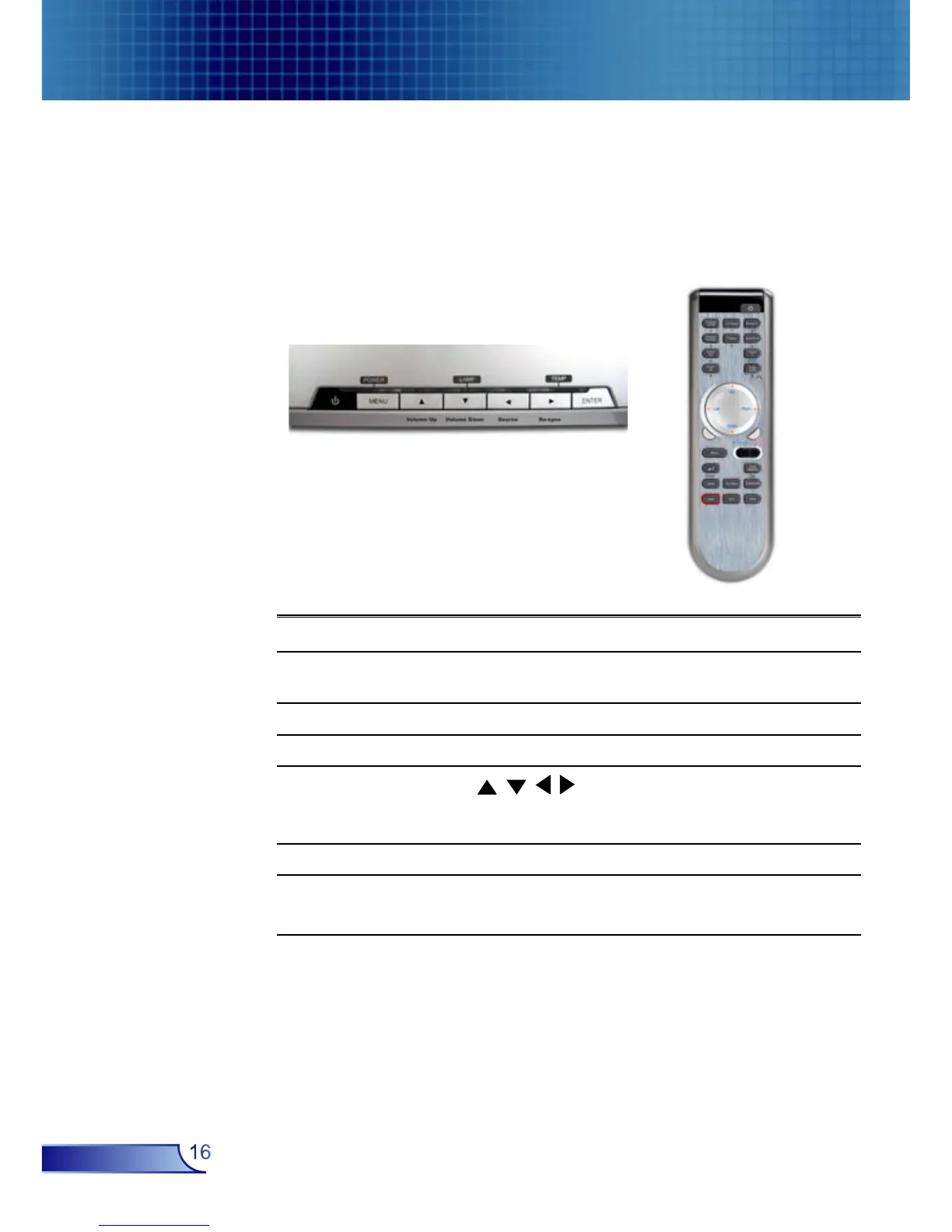
User Controls
Remote ControlControl Panel
Control Panel & Remote Control
There are two ways for you to control the functions: Remote
Control and Control Panel.
Using the Control Panel
Power
Refer to the “Power On/Off the Projector” section
on pages 12-13.
Source
Press “Source” to select an input signal.
Menu
Turns the menu On or Off.
Four Direc-
tional Select
Keys
Use to navigate through the menus.
Enter
Confirm your item selection.
Re-Sync
Automatically synchronizes the projector to the
input source.



 To Next Page