23
English
User Controls
Image-II
H. Keystone (Horizontal Keystone)
Correct horizontal keystone distortion.
V. Keystone (Vertical Keystone)
Correct vertical keystone distortion.
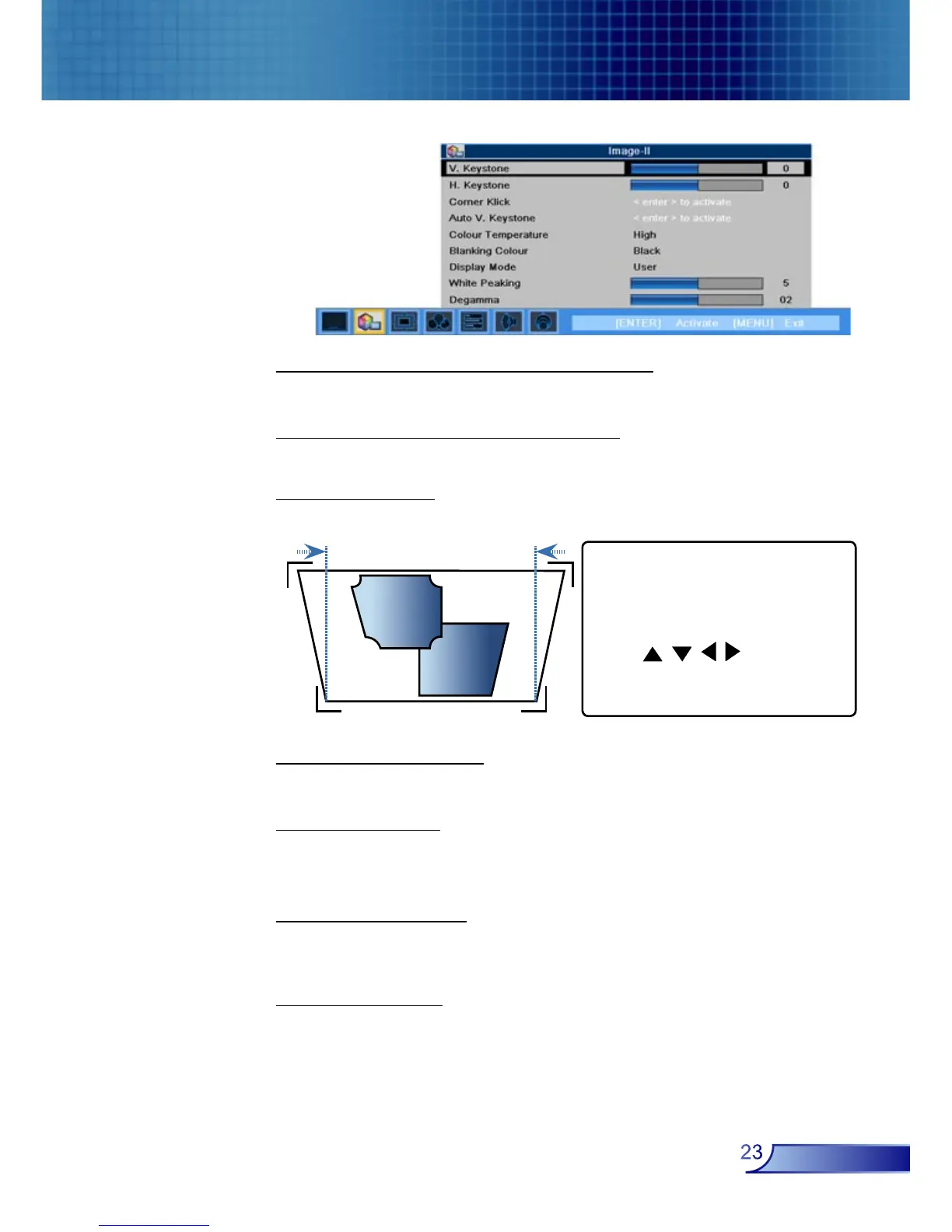
Corner Klick
Compensate for image distortion by adjusting one corner at a time.
Auto V. Keystone
Automatically corrects vertical keystone error.
Colour Temp.
Adjust the colour temperature. At higher temperature, the screen
looks colder; at lower temperature, the screen looks warmer.
Blanking Colour
Use this feature to display a black or blue screen when no signal
is available.
Display Mode
There are many factory presets optimized for various types of
images.
1. Use “Menu” to start.
2. Use “Menu” choose one
corner and press Enter to
confirm.
3. Use to move
the angle and press Enter to
confirm.



 To Next Page