39
English
Appendices
Please note that
damage resulting from
incorrect installation
will invalidate the war-
ranty.
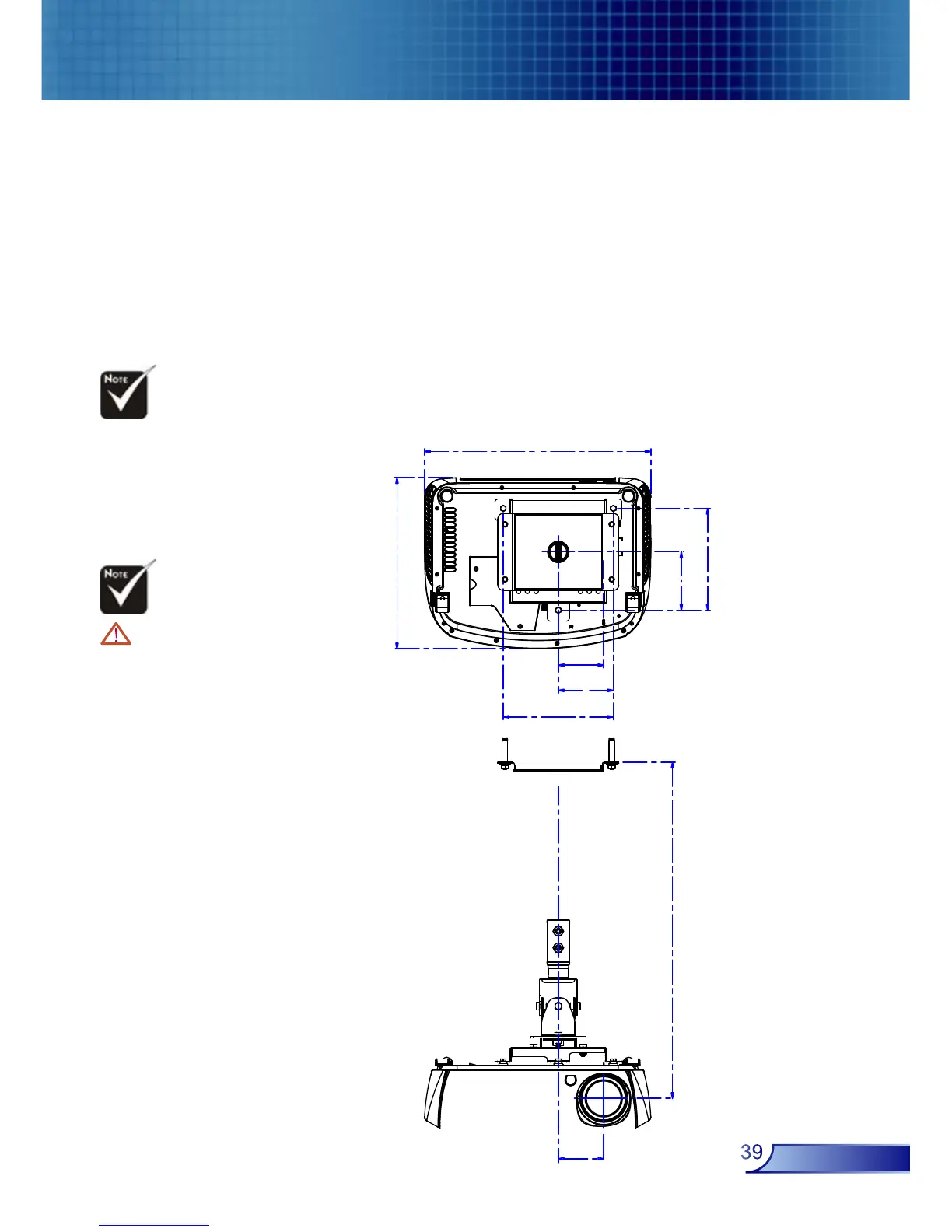
Ceiling Mount Installation
1. To prevent damaging your projector, please use the ceiling
mount package for installation.
2. If you wish to use a third party ceiling mount kit, please
ensure the screws used to attached a mount to the projector
met the following specifications:
Screw type: M4
Maximum screw-thread length into the projector: 10mm
Minimum screw-thread length into the projector: 8mm
Warning:
1. If you buy the ceiling
mount from other com-
pany, please ensure
that there is at least
10cm distance between
the bottom cover of
the projector and the
ceiling.
2. Avoid placing the
projector near sources
of heat such air-con-
ditioning units and
heaters otherwise it
may overheat and shut
down automatically.



 To Next Page