25
English
User Controls
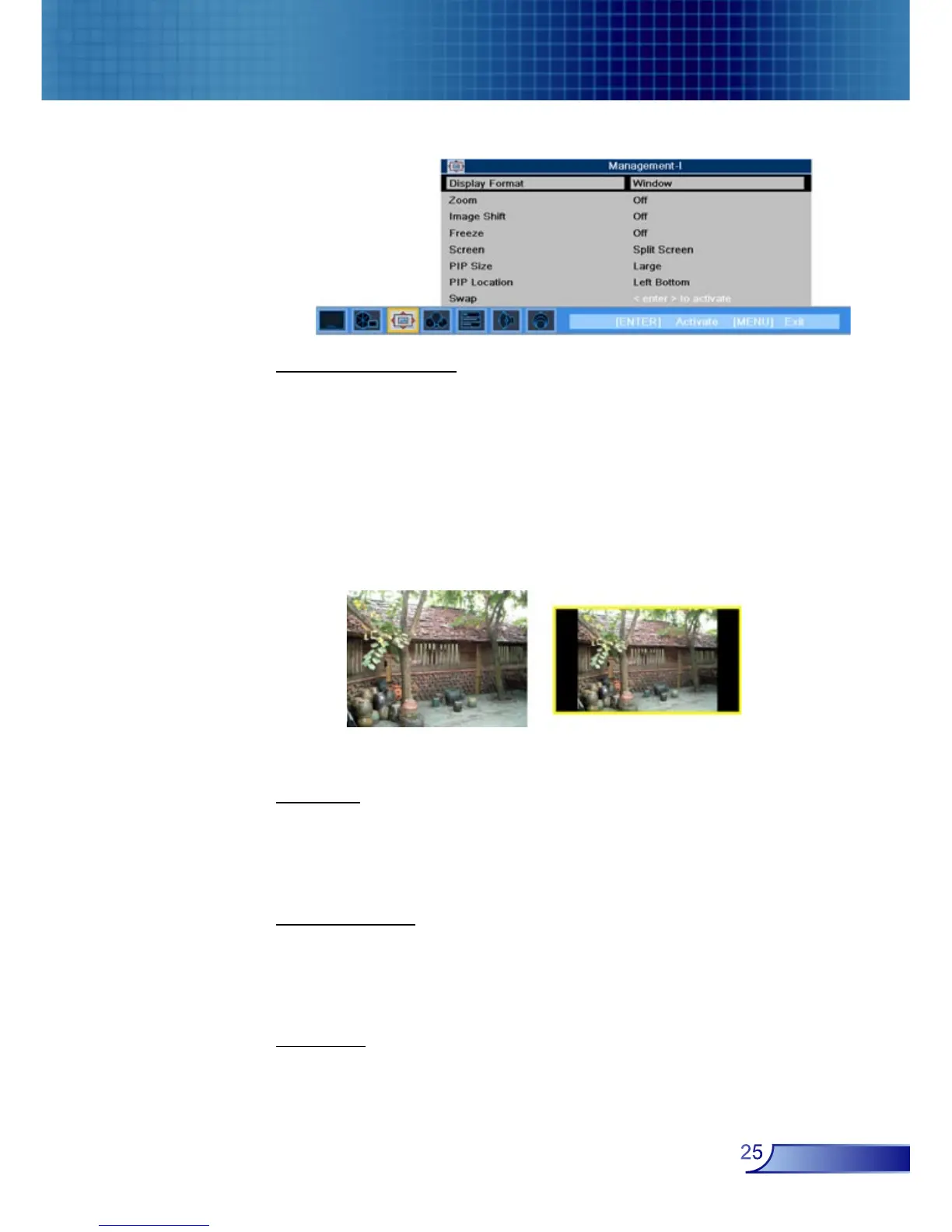
Display Format
Use this function to choose your desired aspect ratio.
4:3 : The input source will be scaled to fit the projection
screen.
Native : The input source will be displayed without scaling.
Window: When a 4:3 image is bigger than a 16:9 screen,
select the “Window” mode to fit the image onto the screen
without changing the projection distance.
Zoom
Zoom1/Zoom2: Zoom in on the image from Main Screen and
PIP Screen.
Off: Normal mode.
Image Shift
Position1/Position2: Shifts the projected image position
vertically from Main Screen and PIP Screen.
Off: Normal mode.
Freeze
Choose “On” pauses the screen image, press “Off” to resume
display.
WindowOriginal Pixel
Management-I



 To Next Page