31
English
User Controls
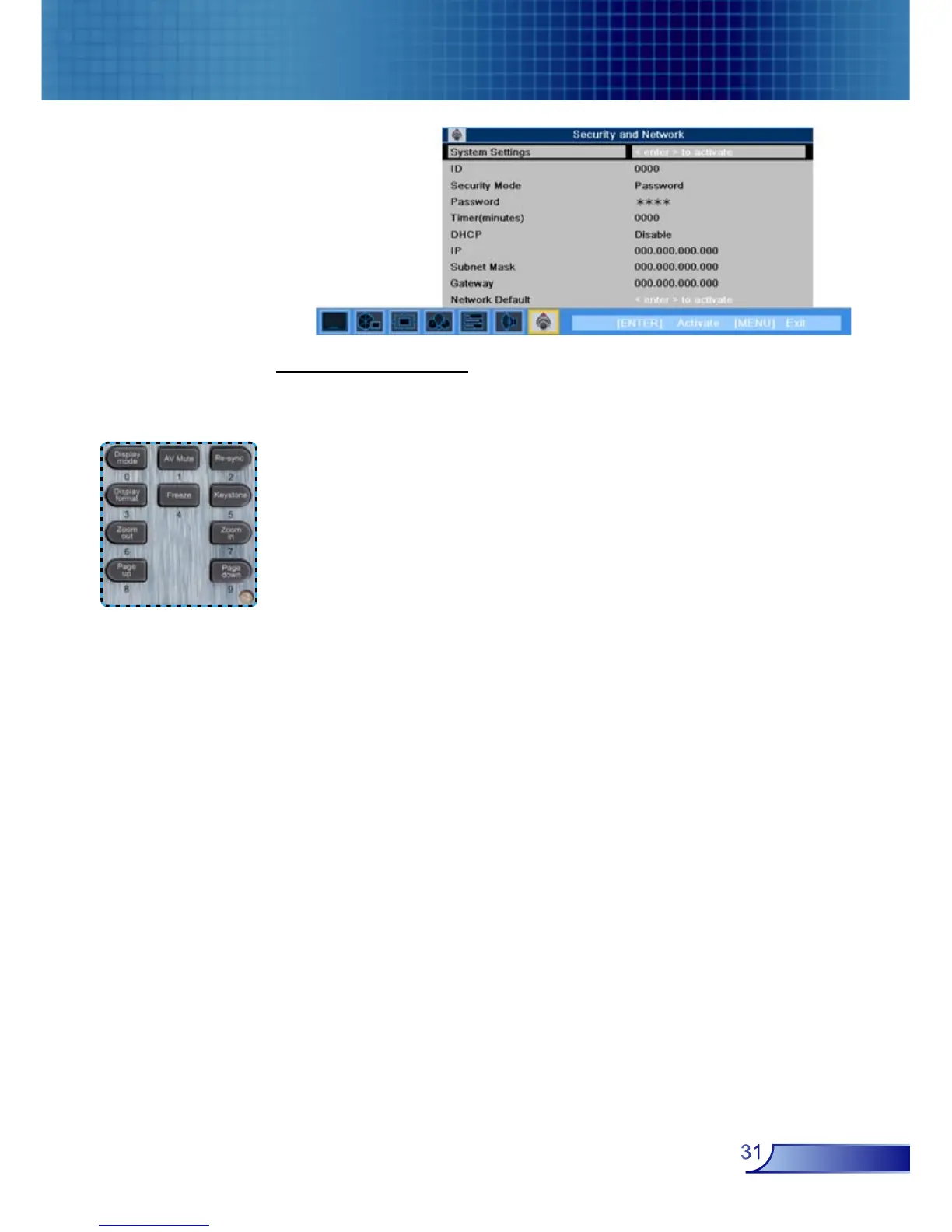
Security Settings
Projector ID
■ First Time:
1. Press “Enter” to set password.
2. The Password is 4 digits, Default value is “0000”.
3. Use number buttons to select your password, and then press
“Enter” key to confirm your selection.
■ Change Password:
1. Input the old password.
2. Changes a new password.
3. The password is 4 bits, default value is “0000”.
4. Confirms the password, please input the new password once
again.
5. Use number buttons to select your password, and then press
“Enter” key to confirm your selection.
Security Mode
■ On: Choose “On” to use security verification while user switch
on projector.
■ Off: When user switch on projector without password.
■ Timer: Displays the usable hours when switch on the projec-
tor. When the time remaining is 0, the time out message will
appear, and then press “Menu” or “Enter” to select input
password.
Timer (minutes): When the Timer is selecting, this function can
be used.
Security and
Network



 To Next Page