14
English
Installation
Adjusting the Projected Image
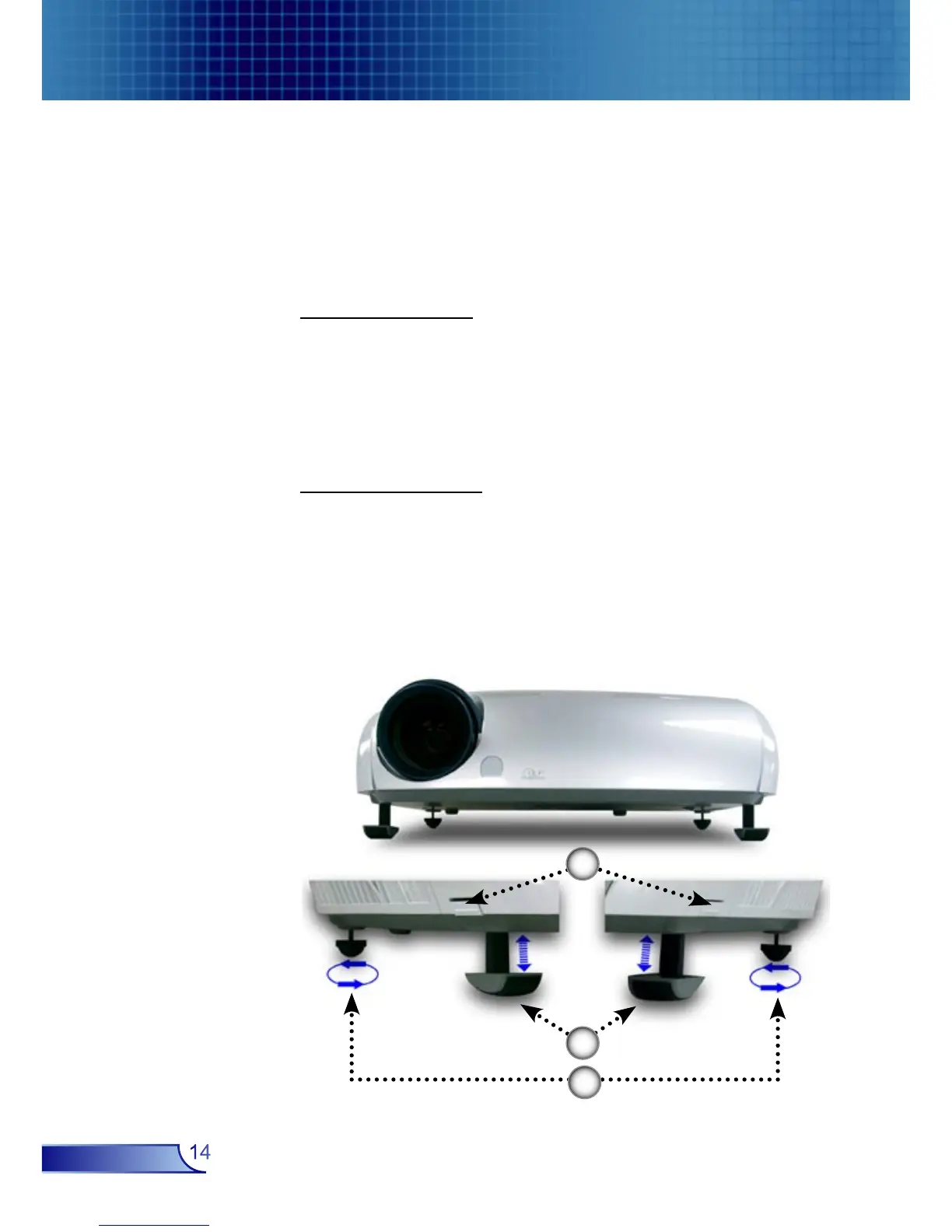
Adjusting the Projector Image Height
Tilt Adjusting Feet
Elevator Foot
Elevator Button
The projector is equipped with elevator feet for adjusting the
image height.
To raise the image:
1. Press the elevator button .
2. Raise the image to the desired height angle , then release
the button to lock the elevator foot into position.
3. Use screw in feet to fine-tune the display angle.
To lower the image:
1. Press the elevator button.
2. Lower the image, then release the button to lock the
elevator foot into position.
3. Use screw in feet to fine-tune the display angle.
1
2
3



 To Next Page