Delta Elec. Inc. ES522 & EX532
Company Confidential Optoma___________________ Delta________________
22
2009/06/30
Yes
Yes
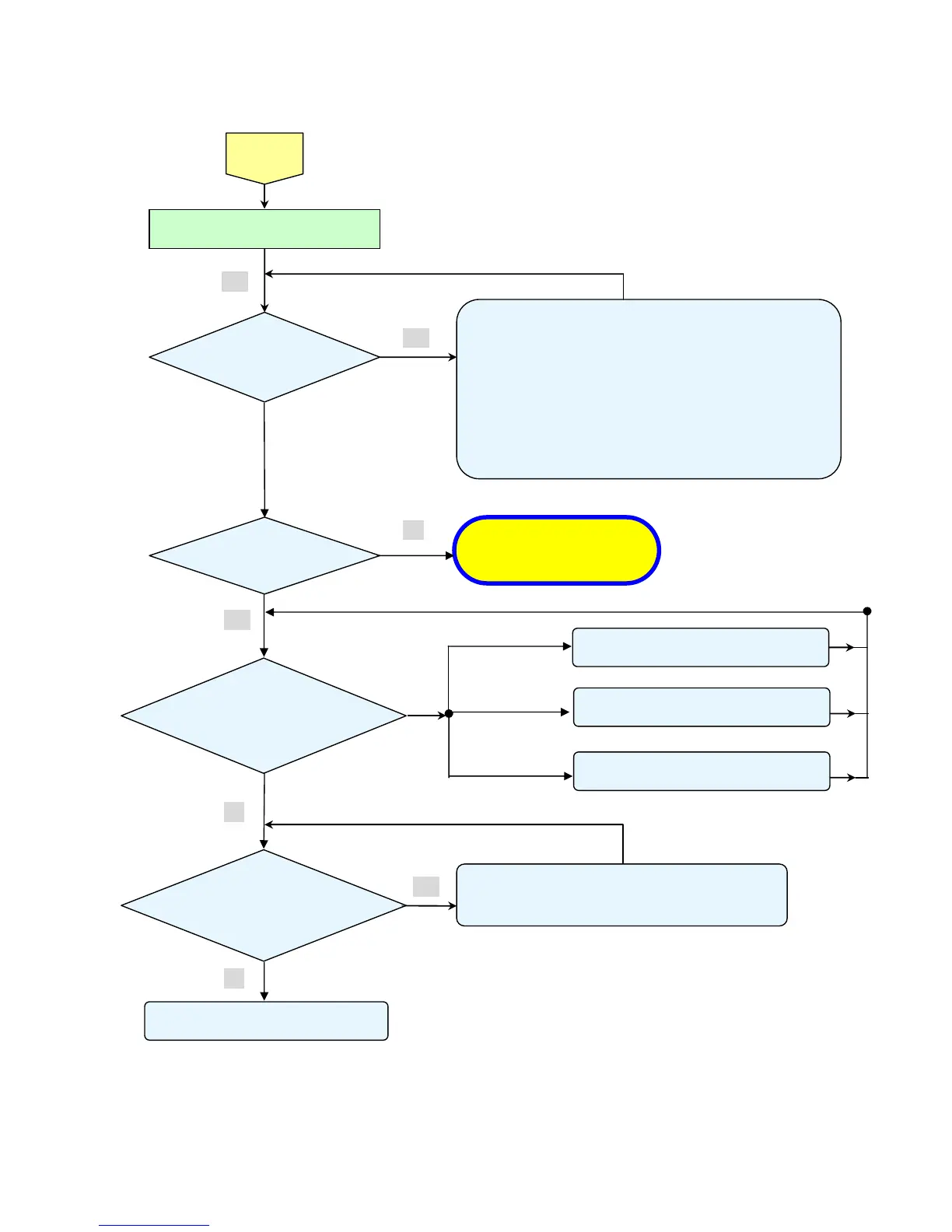
• Black lines on screen (horizontal and vertical)
→ DMD Set malfunction
• Missing pixels (Missing white: 1 or more, missing black: 5 or more, or
sequence missing pixels)
→ DMD Set malfunction
• Shadows on screen
→ Dirt on DMD/projection lens surface
• Bluish shadows on corners of screen (during white screen display)
→ Shifted optical axis of Lens Base Unit
Check the
projection
Screen
Check using all black/white screens with
PC connection
Are abnormalities
noticeable on
projection screen?
Does the lamp
go off during
o
eration?
System OK
Normal operation
• Temperature protector operated due to the increase in
temperature based on operating environment
• Temperature protector operated due to blocked suction and
exhaust holes or dirty fan
No
Yes
Yes
< Fan error >
Power: Flashing Green
Light 6
Temp: OFF
Yes
• Connector P8003 of Fan disconnected
• Power fan (Fan2) malfunction
• Connector P8002 of Fan disconnected
• Blower fan (Fan3) malfunction
• Connector P8001 of Fan disconnected
• Lamp fan (Fan2) malfunction
Flashin
ht 1
Flashing Red Light 2
Flashing Red Light 3
<Over temperture >
Power: OFF
Temp: ON
Lamp: OFF
No
No
• Lamp malfunction
• Power Supply Unit malfunction



 To Next Page