Delta Elec. Inc. ES522 & EX532
Company Confidential Optoma___________________ Delta________________
93
2009/06/30
7. Color Border Adjustment
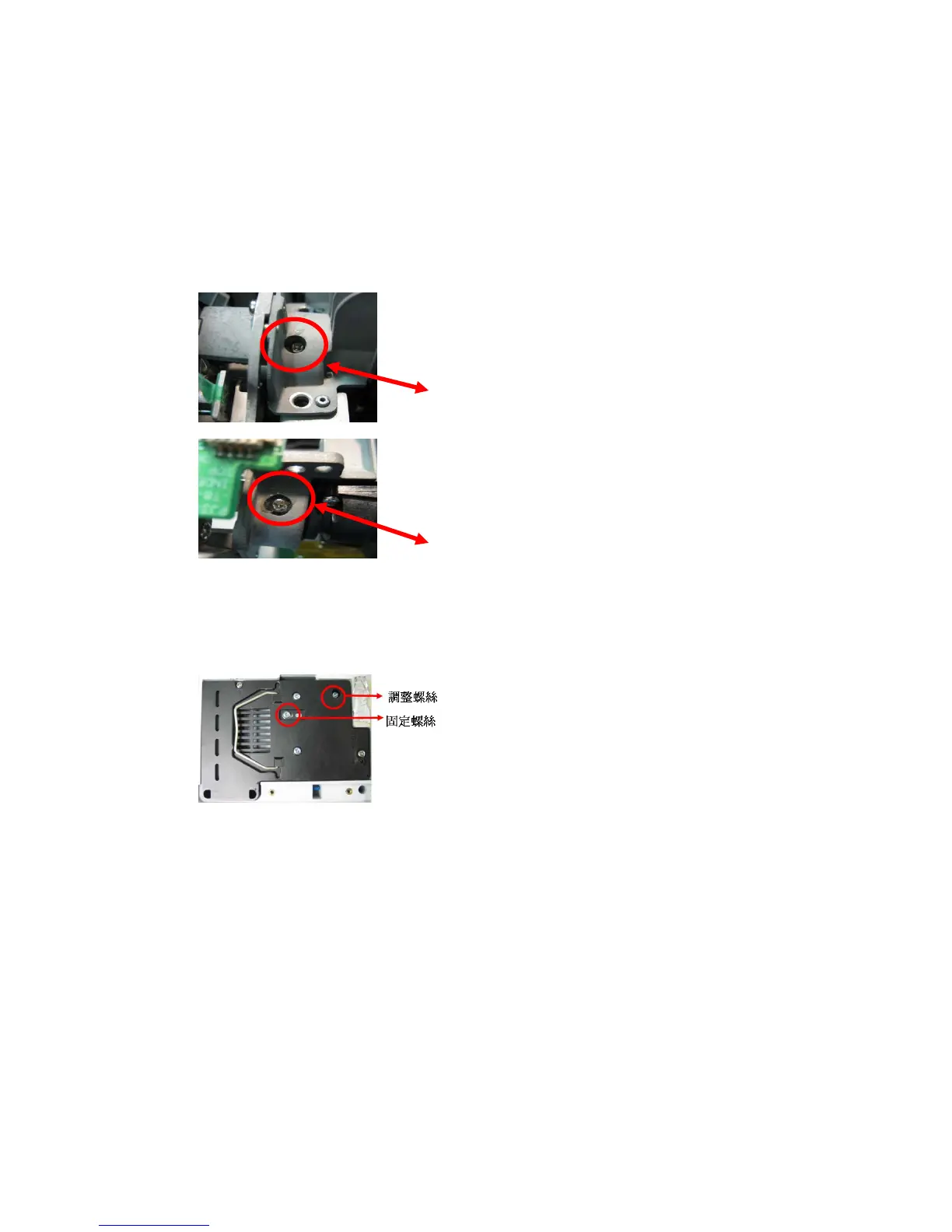
Step 1 : Adjust integration rod screw to eliminate color edge @ White pattern
Step 2 : Adjust lamp module angle to set the maximum brightness measured by CL200
Screw 1
Screw 2
1. Adjust the hexagonal screw in order to right and lift side
color border disappeared.
(Enable just disappearing of
left side color border on the full white pattern)
2. Adjust the hexagonal screw in order to up and
down side color border disappeared. By the color
border is margin value on the down side of full white
pattern. (Enable just disappearing of down side
color border on the full white pattern)
Loosed the fixed screw, CL200 is putted on the left corner of
the screen(When full set is putted upside down), to adjust
the adjusted screw gets the highest luminance value then
fixed the screw in the moment.
=> Adjusted screw.
=> Fixed screw.



 To Next Page