28 Optomed Aurora
5.2 Anterior Module
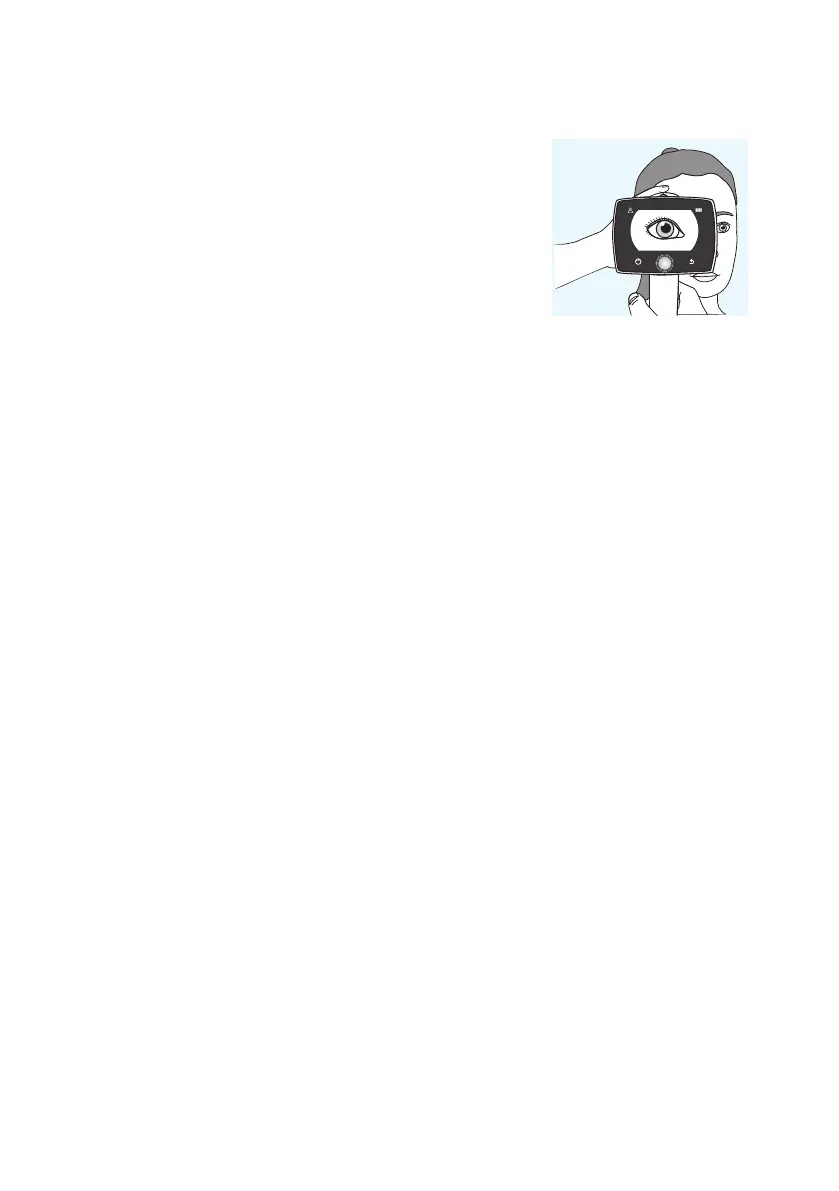
It is recommended that both the patient and the examiner are seated
during imaging with Aurora Anterior Module. Place the eye cup of
Anterior Module around the patient’s eye. Stabilize the camera by
supporting the optics module on your thumb and place your fingers
on the patient’s forehead. Aim the image so that reflection of imaging
light on eye is outdside of the focus window shown on the display.
Ask the patient to look in dierent directions so that dierent areas
can be imaged.
CAPTURING STILL IMAGES:
• Manual focus: Capture a still image by pressing the dual action shutter all the way down.
• Autofocus: Automatic focusing begins when the dual action shutter is pressed half way down. Aer
successful focusing, an image is captured when the dual action shutter is pressed all the way down.
An alternative way to capture an autofocused image is to keep the dual action shutter pressed all the way
down when the camera first focuses and then captures an image.
RECORDING VIDEOS:
• Manual focus: To record a video, keep the dual action shutter pressed all the way down. When the dual action
shutter is released, the recording ends.
• Autofocus: Automatic focusing starts when the dual action shutter is pressed half way down. Aer
successful focusing, a video is recorded when the dual action shutter is pressed all the way. When the dual
action shutter is released, the recording ends. An alternative way to record an autofocused video is to keep
the dual action shutter pressed all the way down when the camera first focuses and then begins a video
recording. When the dual action shutter is released, the recording ends.
| Imaging with Aurora



 To Next Page