Optomed Aurora 19
4.1 Quick menu
FOCUS
Change focus mode by selecting the focus item by pressing Optoroller and choose
either manual or autofocus. When focus mode is set to manual, a diopter scale is
shown on the screen and focus can be adjusted from –20 to +20 diopters.
Accept the selection by pressing Optoroller. In autofocus mode, the camera finds
correct focus automatically. The autofocus range is from -15 to +10 diopters.
BRIGHTNESS
Imaging light brightness for Aurora Retinal Module can be adjusted from 0 to 10
and the default value is 5. It is also possible to reduce the brightness setting below
1, to 0.8, 0.6, 0.4, and 0.2, if needed. To adjust brightness, select the brightness item,
choose a suitable value by turning Optoroller and press Optoroller to set the value.
For Aurora Anterior Module, it is possible to change the imaging LED between
white and blue. When the desired LED is selected, the imaging light brightness can
be adjusted from 0 to 10 in a similar way as described above.
PATIENTS
In the
patients menu
, it is possible to create a new study for images, to preview
captured images or to select four image sequence (only when Optomed Aurora
Retinal Module is used).
A new study is recommended for each patient. Select the ‘
New patient study
’ item
by pressing Optoroller to create a new study. An anonymous study is created for
the patient unless there is a patient list where you can select the patient by
using Optoroller. A patient can also be deleted from the patient list.
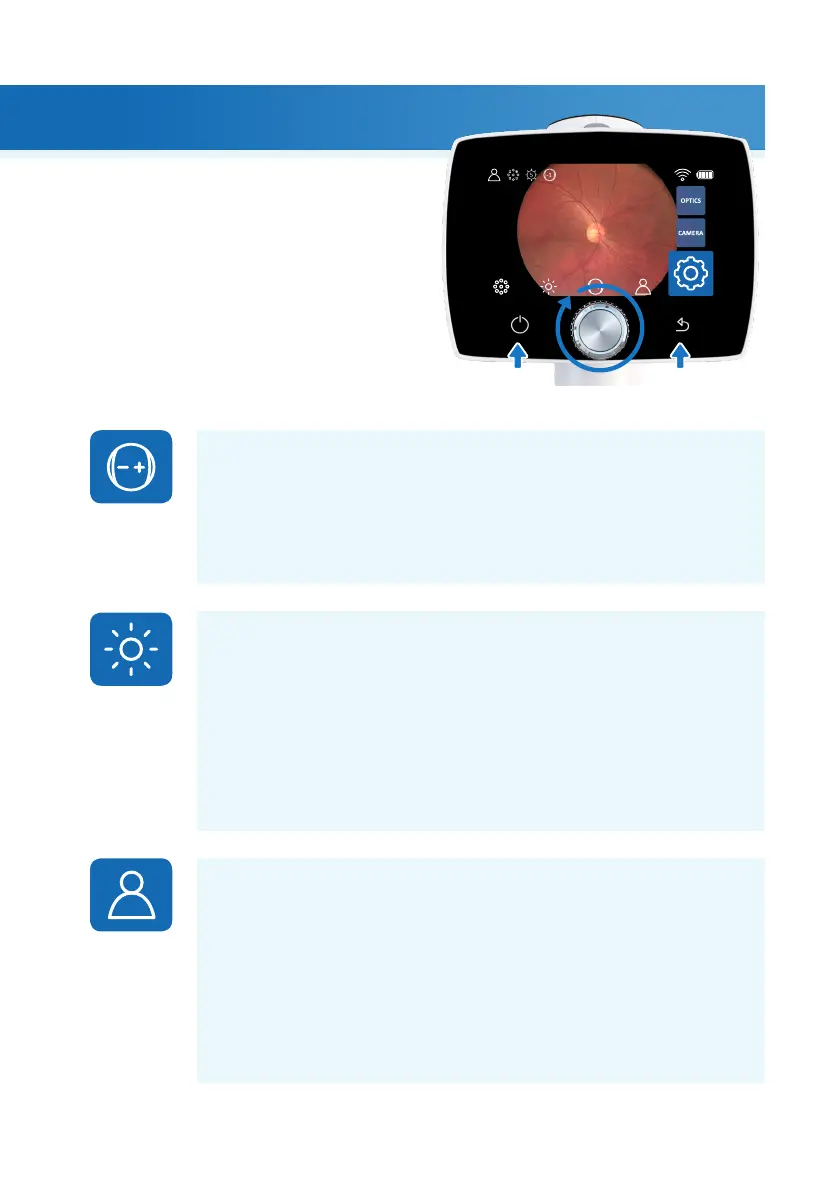
When Aurora Camera is powered on, enter the
menu by either pressing or rotating Optoroller.
To move between menu items, turn Optoroller to
the le or right. Press Optoroller to select the item.
Exit the menu level by pressing the back button.
4. Features
Features |



 To Next Page