18 Optomed Aurora
| Getting started
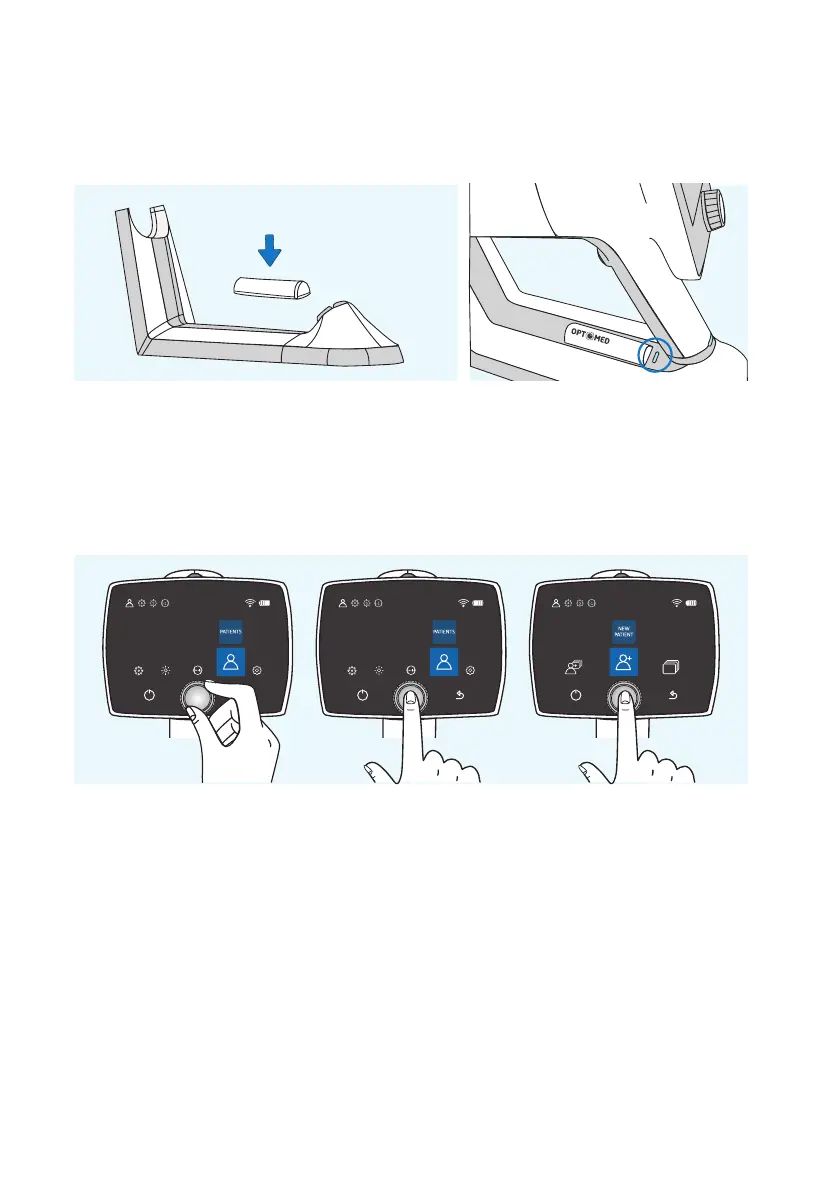
Aurora Charging Station can be used as an external charger for the spare battery. Set the spare battery (8)
connectors to the Charging Station (4) connectors and put the spare battery in place. The spare battery
charging indicator LED on Charging Station blinks when the battery is being charged, and is lit when the
spare battery is fully charged.
Remove Aurora Camera from Charging Station by first liing the optics module from the support and then
liing carefully the handle of the camera from the Charging Station connectors.
It is recommended to create a new study for each patient. A new study is created in the
patients menu
by
selecting the ‘New patient study’ item. It is also recommended that image data storage is always erased
between patients aer the images have been transferred to the PC.
If Aurora Camera is not used for more than two minutes, the device will go into power save mode. It is
powered on from power save mode by using any control button. Aurora Camera will power o if not used
for more than 10 minutes.
Aurora Camera has a WLAN module which enables wireless data transfer to the PC. The separate PC soware
needs to be installed on the PC to allow wireless data transfer. Instructions on the operation of wireless
settings and PC soware are in Appendix A.



 To Next Page