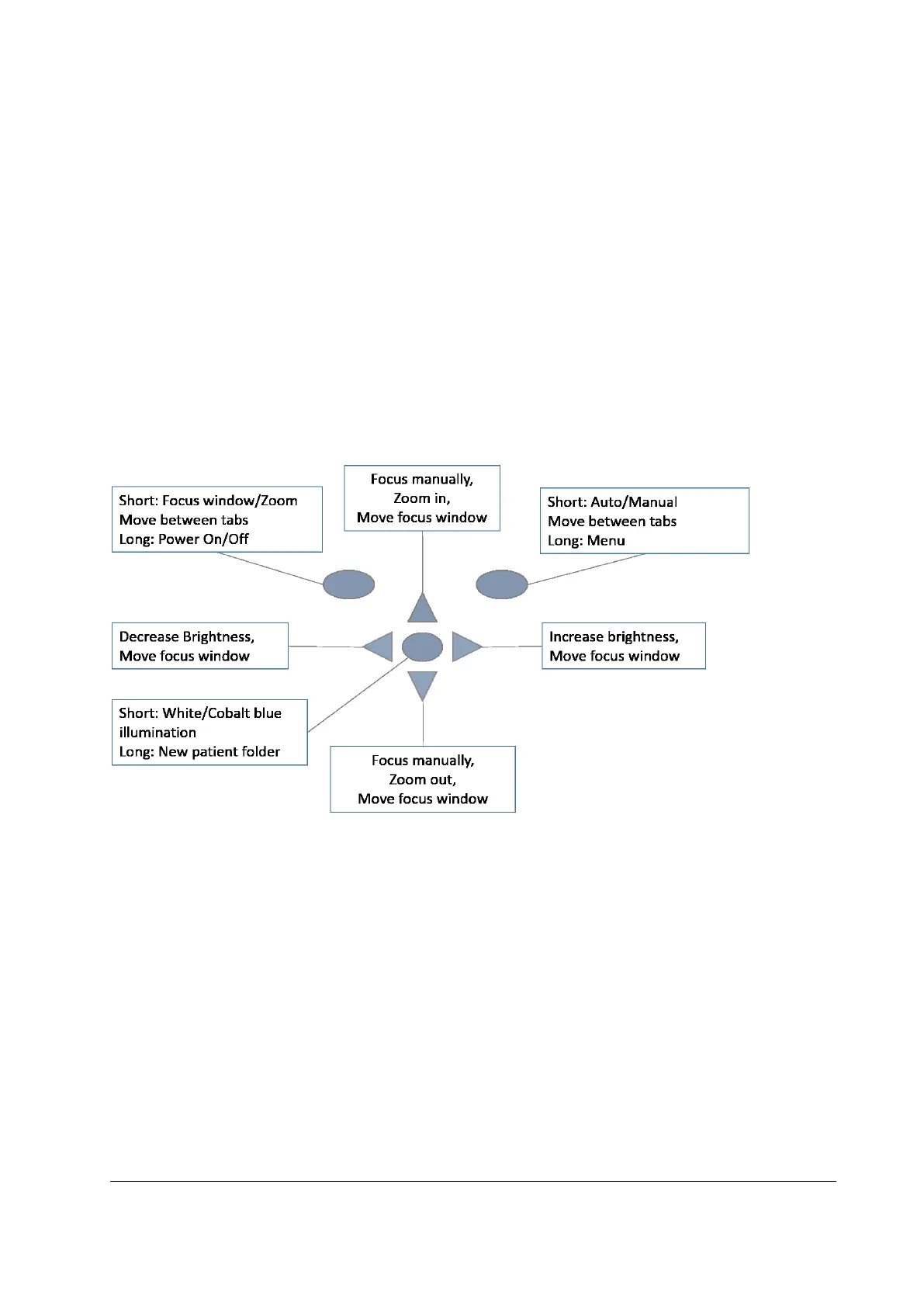
10. If multiple patients are examined during one session, new file folder is created for each patient by
pressing middle key for over 3 seconds.
16. Transfer images to a PC after capturing images. Images are transferred via USB connection to the PC
when camera is placed to the cradle or images are automatically transferred wirelessly to the PC if
WLAN connection is active. Smartscope works as any other digital camera.
11. Erase manually image / video by choosing Menu – Preview images. There can be chosen either the
specific image or the specific folder to be erased.
12. When camera is removed from the cradle it verifies image data storage erase. It is recommended that
image data storage is always erased before images are captured of a new patient.
Camera keys function as shown in image below when ES2 optics module is attached:



 To Next Page