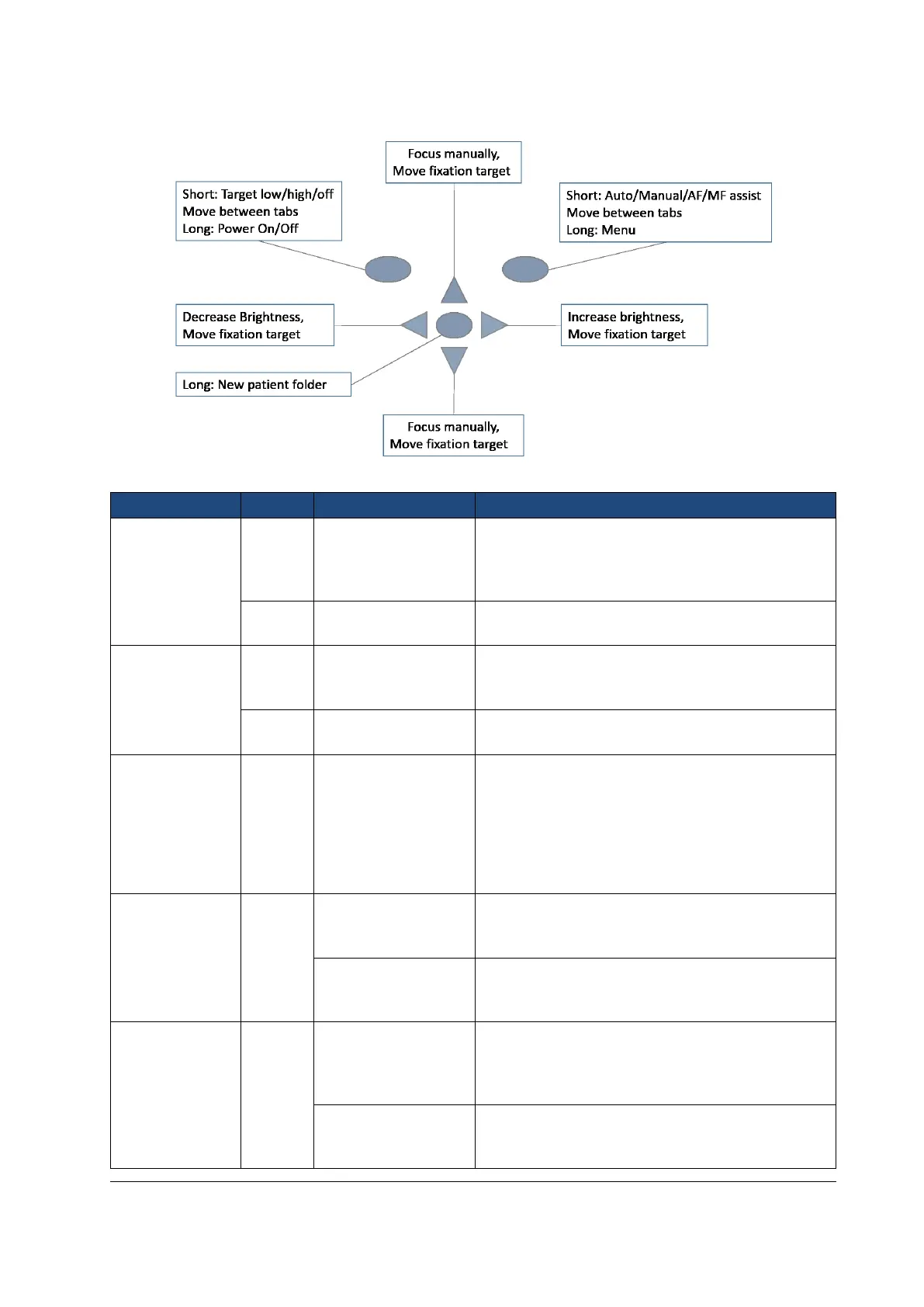
Camera keys function as shown in image below when Smartscope FA optics module is attached:
Table below provides explanations for the key functions:
Control Fixation target
level and selection
Fixation target is off by default and can be turned on
by pressing left soft key. Fixation target light has two
levels: Low and High. If the patient cannot see the light
on low level turn it up to high.
Camera is powered on and off by pressing the Left soft
key for longer than 2s.
Auto / Manual / AF /
MF assist
Switch between focus modes by pressing Right soft
key. Manual focus is on by default. Autofocus range is
-11 to +3 diopters.
Enter camera menu by pressing Right soft key for
longer than 1s.
If multiple patients are examined during a same
session, it is recommended to create a new file folder
for each patient’s images. New folder is created by
pressing middle key for 3 seconds. Icon P at the top of
the screen indicates number of the current patient
folder. If the current folder does not have any images
in it, a new folder cannot be created.
Use left and right arrow keys to adjust capture light
brightness. Icon above right soft key must be selected
(lighter color) to change brightness.
Move between 9 internal fixation targets. Icon above
left soft key turns to lighter color when fixation target
selection mode is active.
When manual focus is active use up and down arrow
keys to focus. Press arrow key up when patient has
hyperopia. Press arrow key down when patient has
myopia.
Move between 9 internal fixation targets. Icon above
left soft key turns to lighter color when fixation target
selection mode is active.



 To Next Page