3.5 Environment Shield for PG11
Dirt, dust, snow and liquids gathered on the lens and mirror will reduce the amount of IR light
used for detecting gas. If more than 55 % of the IR light is blocked due to contamination of the
optics, the detector will give an EARLY CLEAN OPTICS WARNING. The optics should then be
cleaned as described in section “Cleaning optics”. If more contamination is allowed to
accumulate without cleaning, the detector will go into FAULT when more than 70 % of the IR
light is blocked. How fast dirt is accumulating on the Optics depends on how dirty the
environment is.
The PG11 comes by default with an Environment Shield. It is recommended to use the
environmental shield in most cases. This will reduce the effects of rain, snow, dirt and water
spray from eg. fire extinguishing systems. The optics of the PG11 is heated and the
environmental shield will enhance the effect by keeping the heat more localized inside the
sensing section of the PG11. The result is a more robust solution against thick mist and rapid
temperature changes.
For severe humid applications (>99% RH), it is recommended to use the Hydrophobic filter.
See the full list of accessories in chapter 11 Accessories and Spare Parts.
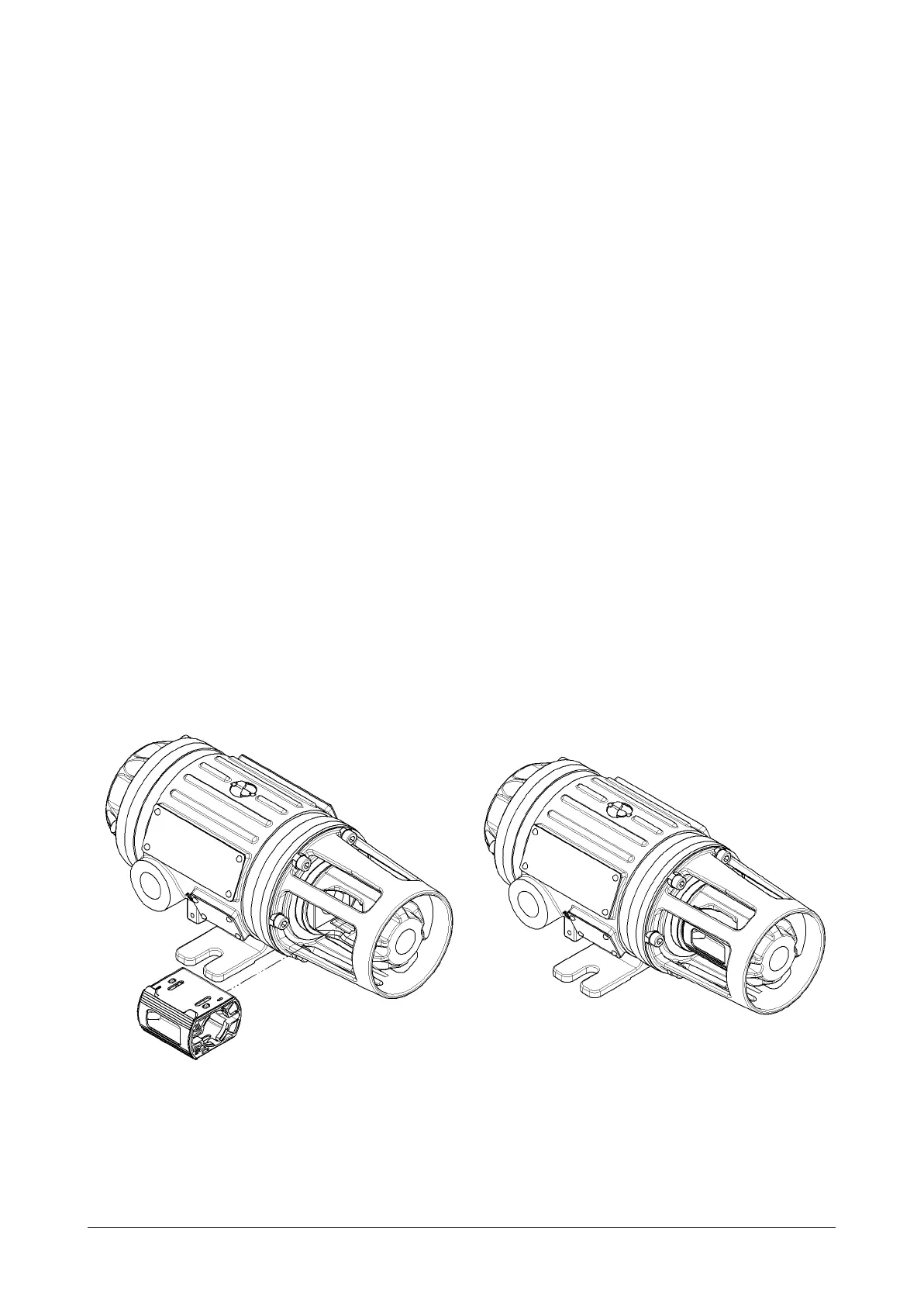
The Environment Shield for the PG11 consists of one compact unit fitting into the gas sensing
section as illustrated below. The Environment Shield has been designed for optimal
performance of the detector. The illustration below shows how the Environment Shield is
easily slotted into the sensing section of the PG11. Before inserting the Environment shield
visually inspect that it is free of dirt or any blocking substances. Make sure it is inserted all the
way in.
Document 022-80036-OM Revision R03 Page 19 of 48


 To Next Page