Orban 5950 Technical Manual Operation 3-31
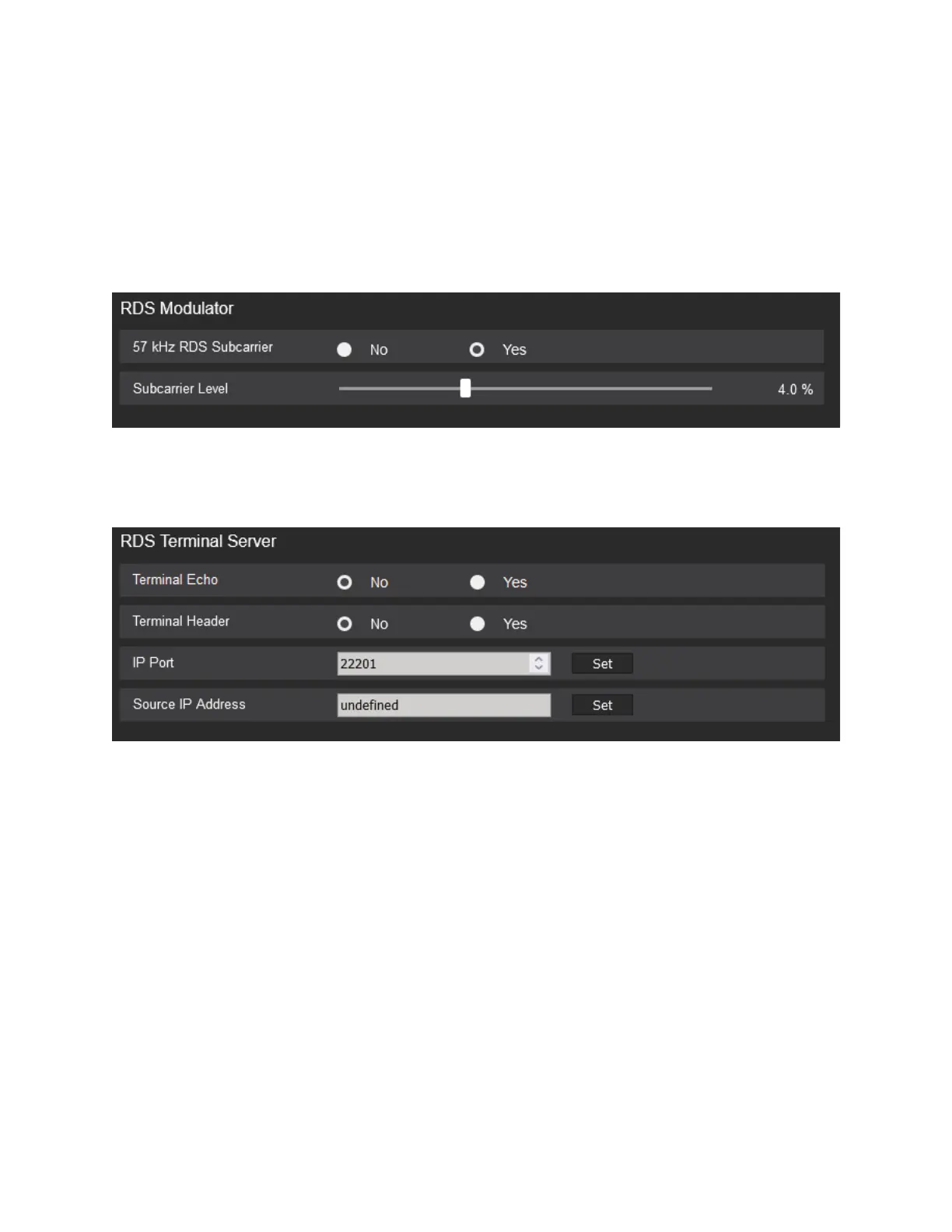
RDS MODULATOR
Turns on or off the RDS subcarrier. The Subcarrier level controls the amount of RDS injection. Orban suggests
using a modulation monitor that is capable of reading the 57 kHz subcarrier to make this adjustment.
USING TELNET TO CONTROL TERMINAL SERVER
You can control RDS from Windows directly via the Windows Telnet command line utility or the free utility PuTTY.
A) Open the Windows Telnet client by typing telnet into the Windows Run box in the Start menu and hitting the
Enter key on your keyboard.
In Windows 7 and higher, you must enable the Telnet client; it is not enabled
by default. If you do not know how, use a search engine to find out. The
general idea is to navigate to CONTROL PANEL > PROGRAMS > TURN WINDOWS FEATURES ON OR
OFF and check “Telnet.”
B) Connect the Telnet client to the OPTIMOD by typing open [IP address] [IP
Port], where [IP address] is the IP address of the OPTIMOD and [IP Port]
is the IP Port you assigned to the OPTIMOD RDS terminal server in System.



 To Next Page