14
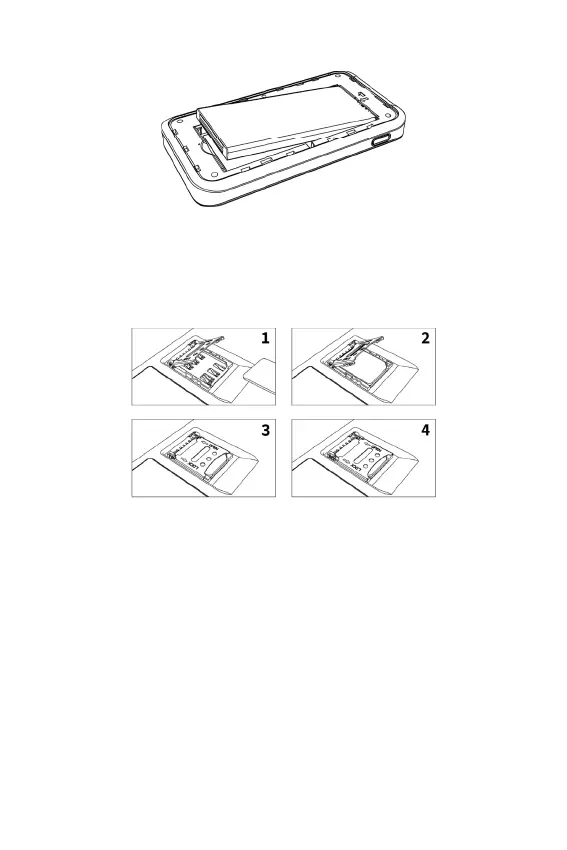
2. Remove the battery from the battery well.
3. Locate the SIM card slot, press and hold the metal card, follow
the instructions of the metal card “OPEN” direction, push and
open the metal card, and put the SIM card into the slot until
the card is fully inserted.
4. Follow the instructions of the metal card “LOCK” direction,
close and push the metal card.
To place a new SIM card:
1. If necessary, remove the SIM card from the outer card, being
careful not to touch the gold colored contacts.
2. Insert the SIM card into the slot notch rst, with the contact
points facing down. Close the SIM access tab, place the
battery in the battery well and replace the cover. The SIM card
MUST remain in the SIM card slot when in use.
CAUTION: Do not bend or scratch your SIM card. Avoid exposing
your SIM card to static electricity, water, or dirt.



 To Next Page