22
Home
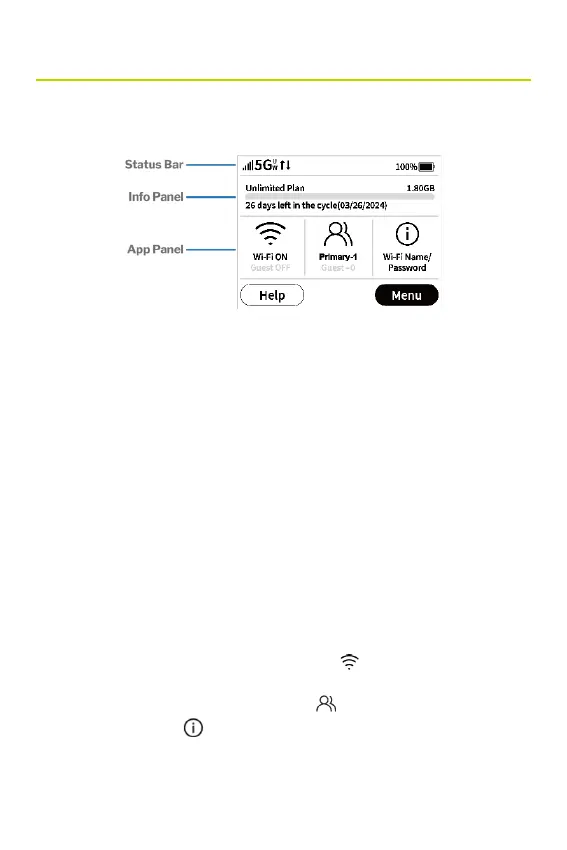
The Home screen lets you see what your Hotspot is doing at a
glance.
Status bar
The top of the screen displays status indicators, which may
include: network signal strength , network type (for example, 5G
UW), data trafc activity, unread messages, roaming , battery , USB
tethered , or Ethernet connection.
Info Panel
This panel presents a carousel display of current information on
your Hotspot. Initially, it displays data usage, but may also display
other information, such as when Airplane mode is on, or if there is a
SIM card error. Swipe left/right through the displays.
App Panel
Displays whether Wi-Fi is ON or OFF (tap to access the Wi-Fi
menu). Displays how many devices are connected to your Hotspot
Wi-Fi primary and guest network (tap to access the Connected
Devices menu). Tap to view the name and password for your
primary and guest networks.



 To Next Page