35
Admin Web UI
You can access basic and advanced Hotspot settings using the
Admin Web UI. On a computer or browser- supported device
connected to your Hotspot, open any Web browser and go to
http://my.mobilehotspot or http://192.168.1.1.
Homepage
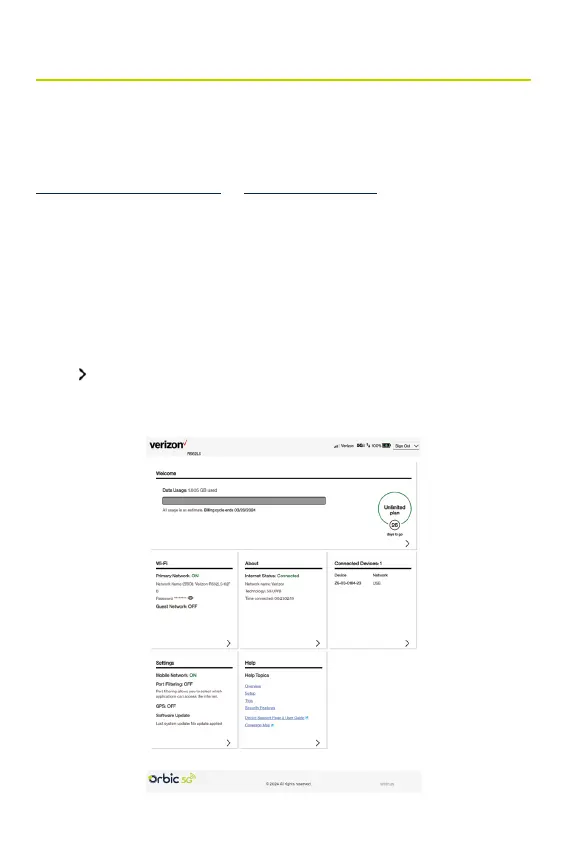
The Home page is the local gateway to conguring and managing
your Hotspot. It displays current data usage and Wi-Fi status, lists
currently connected devices, and offers links to other pages with
option settings and help.
Click
in the bottom-right corner of a panel to access screens
with further information and options.



 To Next Page