6
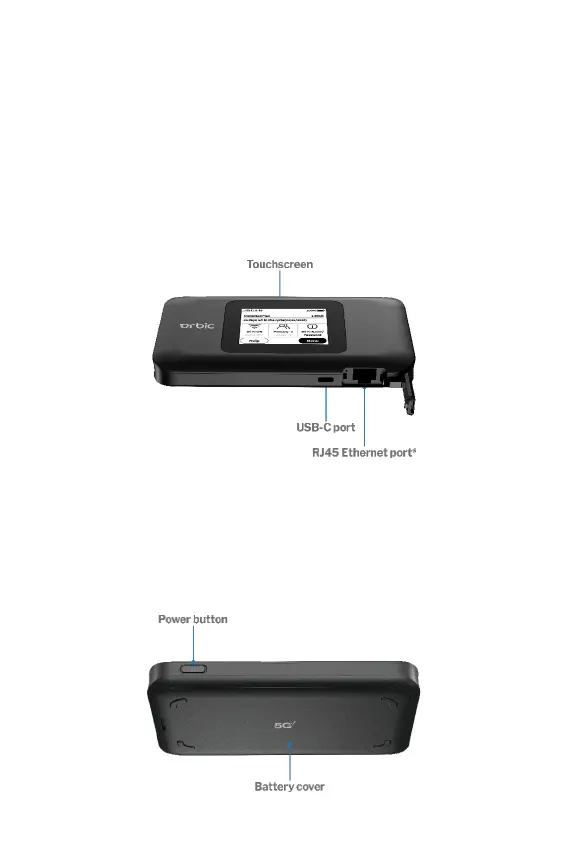
Display View
Connect to the Quick Charge charger or tether to a device with
the USB-C port. Use the Ethernet port to connect directly to the
internet.
The 2.4 inch touchscreen displays and allows you to view Wi-Fi
name and password, connected devices, data usage, and more.
Swipe through screens and tap the arrows, buttons, and icons to
access available menu options.
Side View
Press and hold the Power button for three seconds to turn your
Hotspot on and off. Press and release the Power button to wake up
the display.



 To Next Page