32
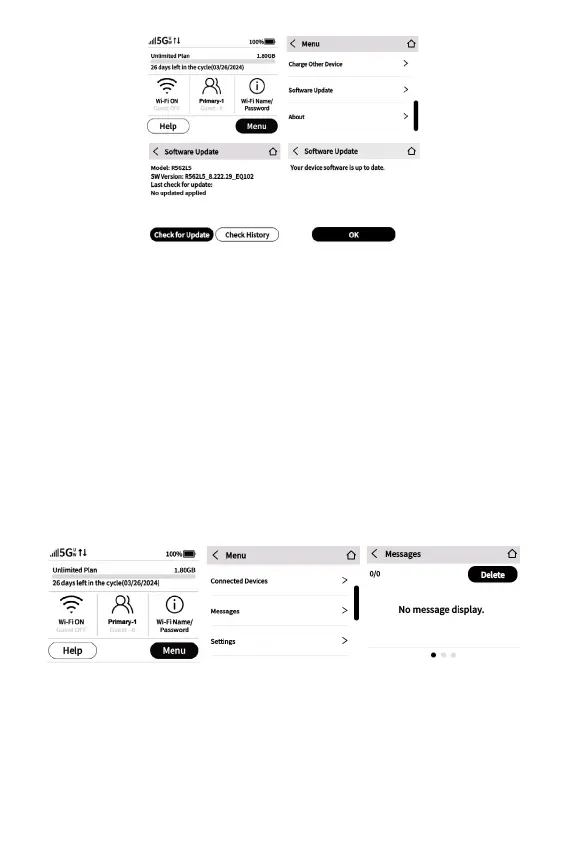
Check for Update: Use this button to check for new software
updates.
NOTE: Software updates are delivered to the Hotspot
automatically over the network, so this is usually not necessary.
Viewing Messages
You can check messages on your Hotspot with the Messages
screen.
• Tap Menu > Swipe up and tap Messages > View and Manage
messages.
Viewing Info about your Hotspot
You can view detailed information about your Hotspot on the
About screen.
• Tap Menu > Swipe up and tap About > View Details about



 To Next Page