13
• Charge, operate, and store the device as close to normal room
temperature as possible.
• Store your Hotspot with a battery strength between 30% -
80%.
• Best results are achieved by allowing Battery Preservation
Mode to activate if you keep yourHotspot continuously
powered.
Before using your Hotspot, read the Battery Preservation Mode
and Battery Tips sections that follow and the battery safety
information in the Safety Hazards and Proper Battery Use and
Disposal sections at the end of this guide.
CAUTION: Always use ofcial OEM batteries and chargers that
have been approved by Orbic for optimal performance and safe
operation of your Hotspot.
Replacing the SIM Card
Your SIM card is a small rectangular plastic card that stores your
phone number and important information about your wireless
service. Your Hotspot comes with a pre-installed SIM card.
NOTE: Should your SIM card be lost or damaged, contact your
network operator.
To remove the SIM card:
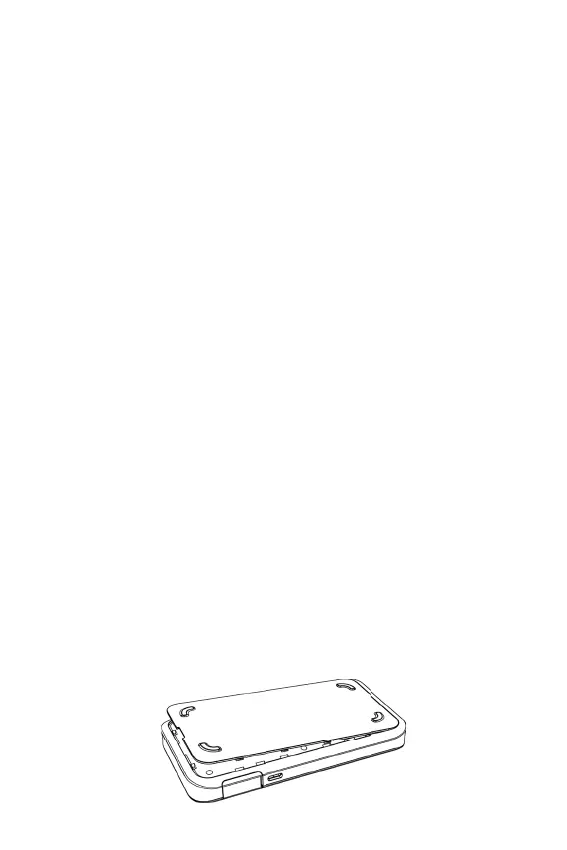
1. Insert a ngernail at the edge of the battery cover and lift and
remove the battery cover. Set the cover aside.



 To Next Page