26
• Swipe left to view the Guest Wi-Fi Network screen and left
again to view information.
• To turn on your guest network, assign it at least one band in
Wi-Fi Settings > Band Selection.
NOTE: You can change or hide the network name and password
information shown on these screens using the Admin Web UI Wi-Fi
pages.
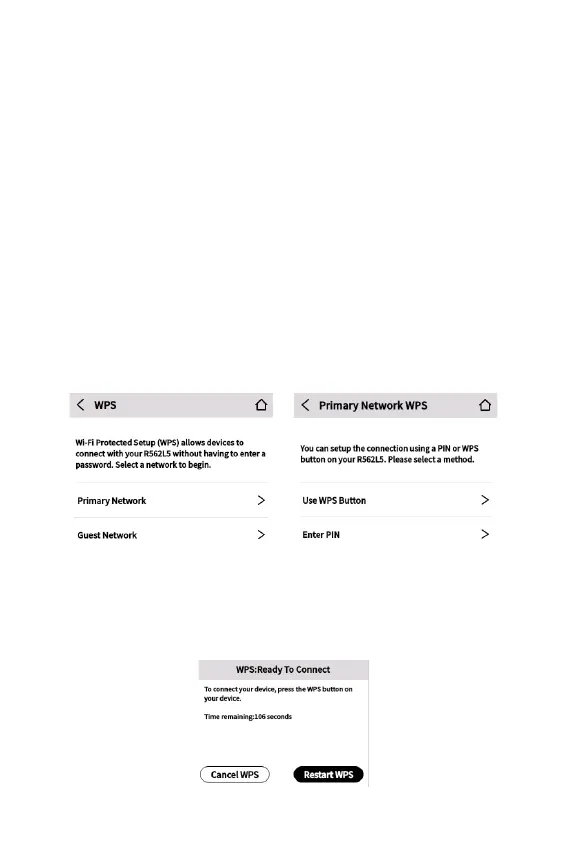
Wi-Fi Protected Setup (WPS)
Enabling Wi-Fi Protected Setup (WPS) allows compatible
Wi-Fi devices to easily connect to your Hotspot primary or guest
network.
NOTE: If WPS is off, you can turn it on using the Admin Web UI
Wi-Fi pages.
* The SSIDs and passwords for your Hotspot are unique. Those
shown here are for example only.
Use WPS Button



 To Next Page