◆ App recording
❶ Add the camcorder into the App as per the steps in「Add device」
and enter the preview image.
❷ Set up required function options in the setting menu.
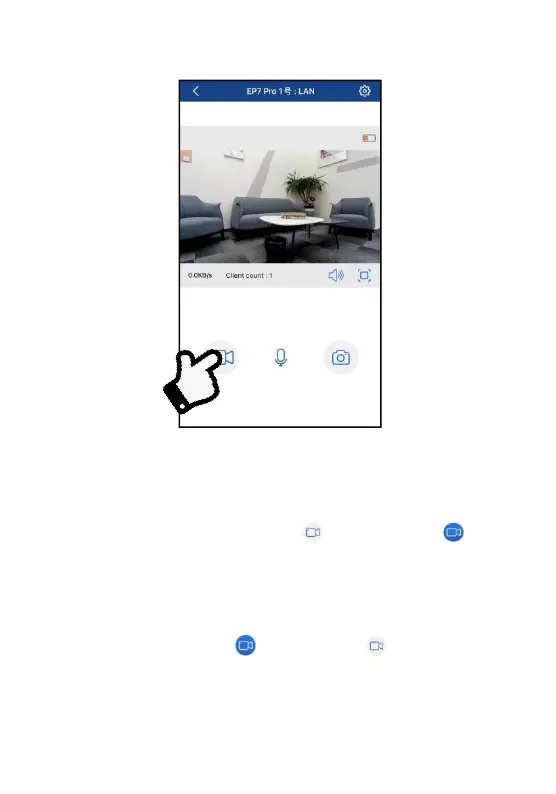
❸ Tap the lower left recording button , and it becomes , REC
time appears at the upper left, and the camcorder gives out a
prompt「Start recording」. The green indicator starts flickering,
meaning recording is started.
❹
Tap the lower left button and it becomes , and the
camcorder gives out a prompt「Stop recording」. The green indicator
stops flickering, meaning recording is stopped.



 To Next Page