17
Setup Manual - Butler XT2
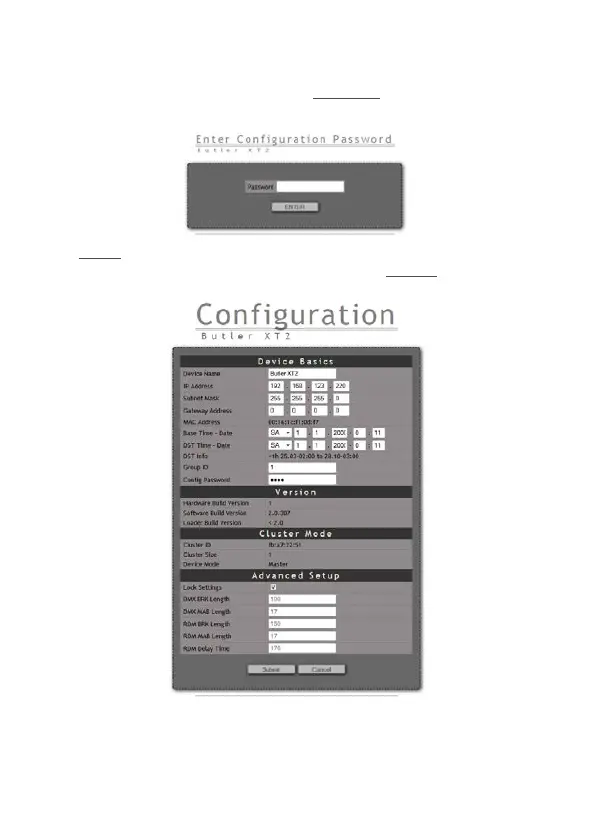
To change the configuration, click the upper Congure button and enter the pass-
word. The default password is “ecue”, it can be changed during configuration.
Click Enter and the main configuration dialogue gets displayed. Change the
parameters (explained in the following chapter) and click Submit.
Set the parameters and click Submit to save the changes. See the next chapter for
a description of the parameters.


 To Next Page