19
Setup Manual - Butler XT2
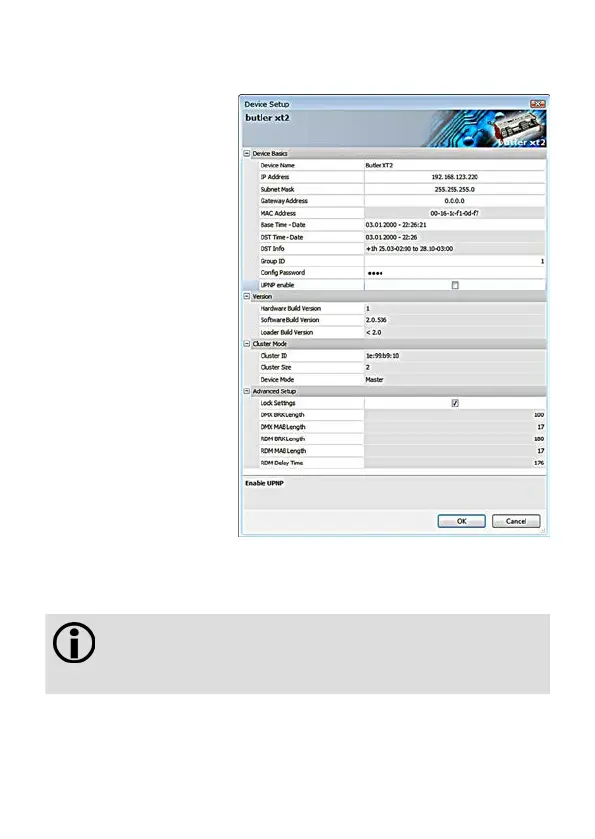
Click the IP address –
typically this should read
192.168.123.1 at this stage,
when the Butler XT2 is still set
to factory defaults.
y Assign a new IP address
e.g. 192.168.123.200.
y Use the same procedure
for the remaining network
parameters: Subnet Mask
- usually 255.255.255.0,
Gateway – no gateway
y Give the Butler XT2 a
unique name.
y Set the base time, this is
the time without DST cor-
rection, add shift and dates
for DST begin and end.
y Do not modify DMX settings
except you know what you
are doing.
y See the following table for
a complete overview of
network parameters.
y Apply the changes with the Ok button
If no show is exported to the Butler XT2, e. g. when the Butler XT2
is in factory state, no DST information and master/slave settings are
available. As soon as a show has been downloaded, correct DST
information and master/slave setting will be shown.


 To Next Page