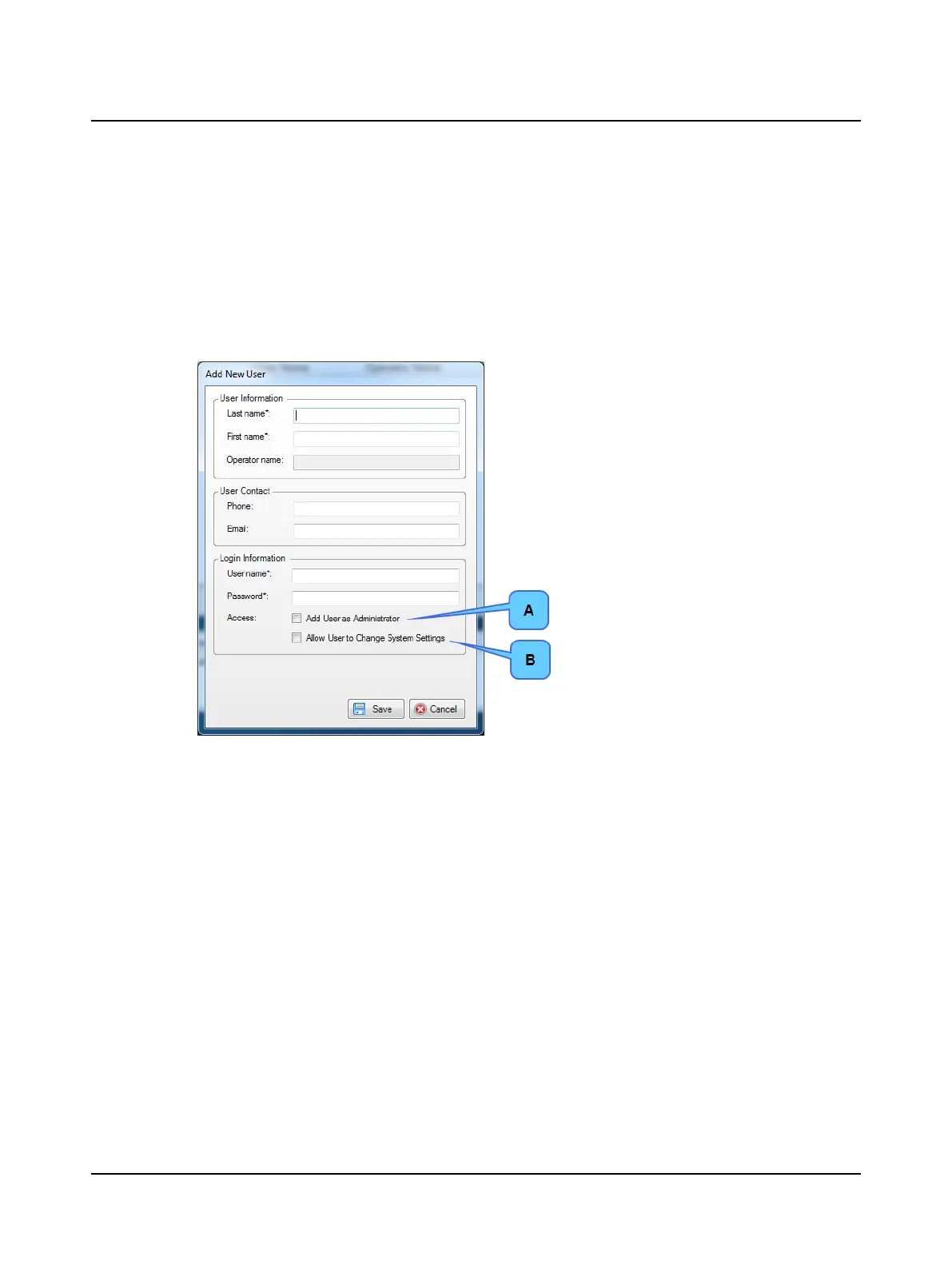
3. To allow access rights, click Add User as Administrator (A) or Allow User to Change System Settings (B).
• Add User as Administrator - all rights
• Allow User to Change System Settings - all rights except
– Add, edit, or delete users,
– Specify the network locations for shared files (video, reports (PDF), import, and export), and
– Update application license and firmware
4. Click Save to save the changes. Click Cancel to discard the changes.
Edit user data
1. Select the user from the list.
2. Click Edit.
3. Edit the changes making sure all required fields marked with an asterisk (*) are completed.
4. Click Save to save the changes. Click Cancel to discard the changes.
Delete user
1. Select the user from the list.
2. Click Delete.
3. Click OK.
Additional system settings:
• Workstation Settings
• OTOsuiteVestibular Database
• GDT Interface
Refer to the Reference Manual.
110 Otometrics - ICS Impulse USB
13 System settings












 To Next Page