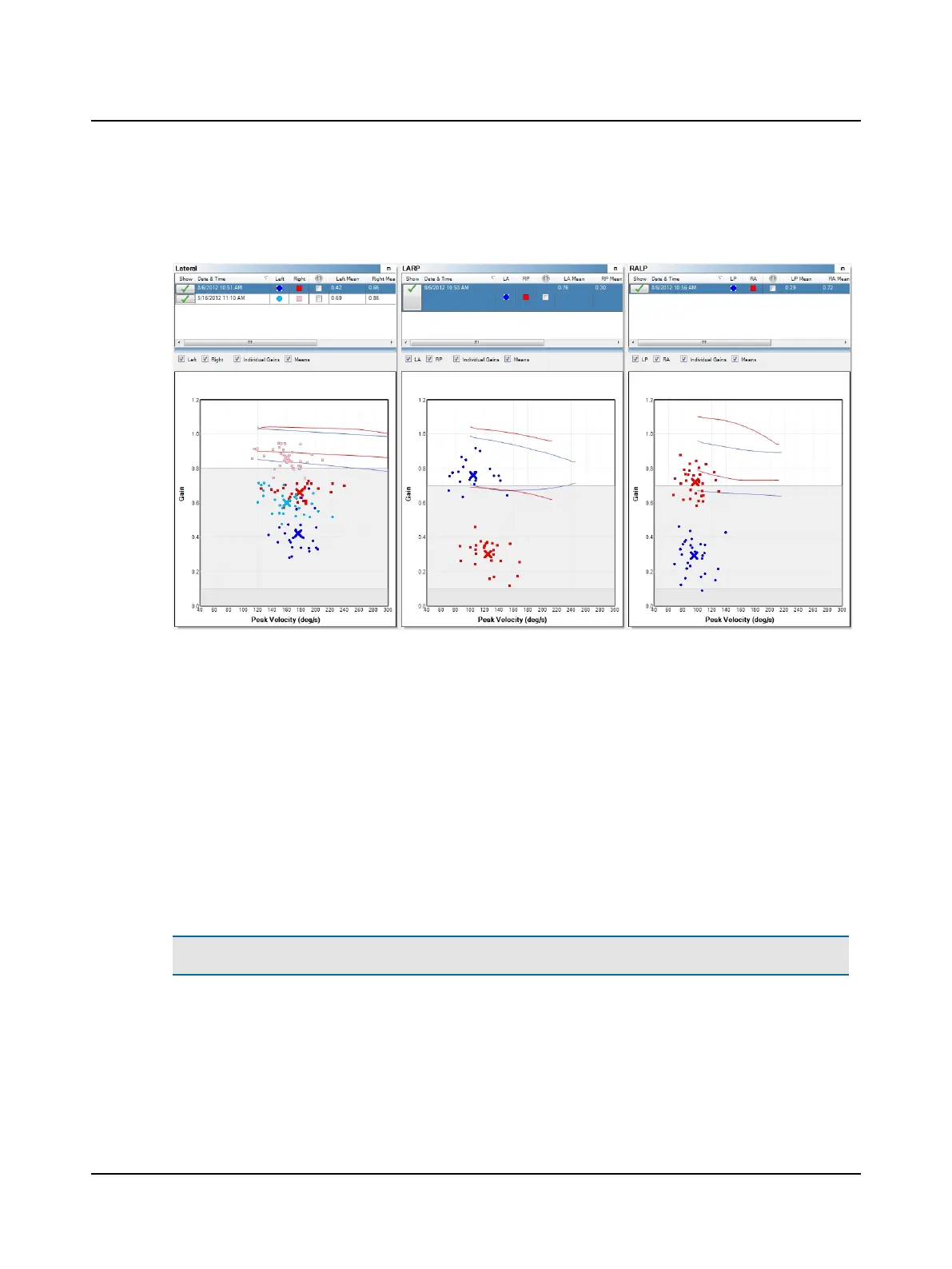
Progress Data
The gain graph displays as described in Analysis details ► 59 except that the legend to identify the colors used for each
test is shown in the test selection window.
10 Positional
10.1 Test environment
The environment can vary but must allow you to position the patient at least one meter from the wall (or other solid sur-
face that can be used as a projection surface). This position will be utilized for calibration. For Dynamic and Repositioning
testing the patient needs to be comfortably positioned on an exam table as they will be moving between a sitting and a
supine position.
For Calibration Purposes:
Note• The patient should be seated in a chair that is stationary and does not swivel.
1. Choose a wall that allows you to position the patient at least one meter in front of the fixation dot.
2. Apply one of the fixation dots supplied with the system to the wall in a location that allows you to position the patient
directly in front of the fixation dot.
Otometrics - ICS Impulse USB
75
10 Positional












 To Next Page