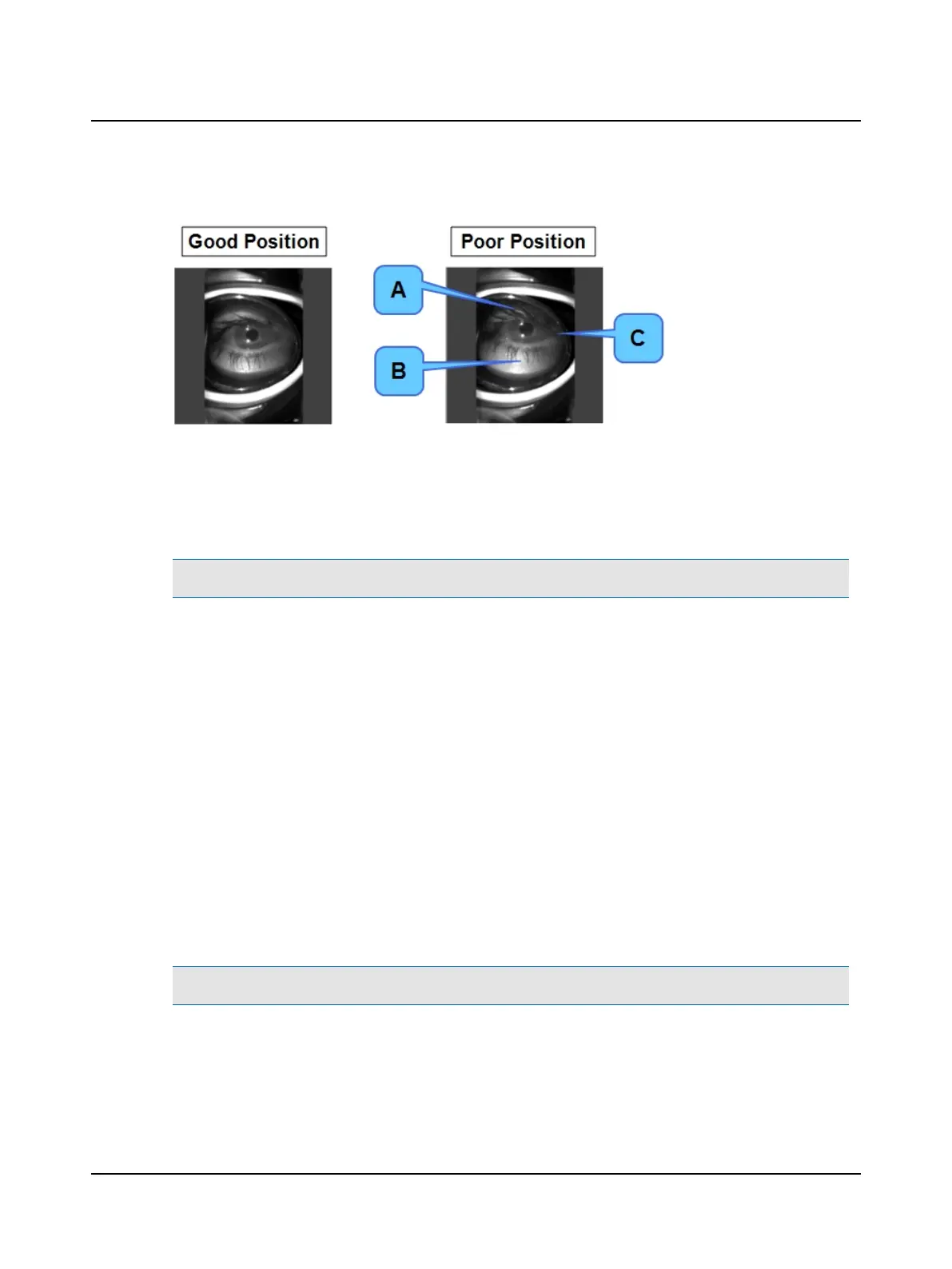
4. Check that the eye is centered inside the window of the cup.
A. Not centered vertically: Should see more of the eyelid above the eye.
B. Not centered vertically: Should see less of the area below the eye.
C. Not centered horizontally: Inner edge of cup is not close enough to the nose. Notice the corner of the eye at the
edge of the cup.
7.4.6 Removing the vision-denied cup and patch
Note• Slowly removing the vision-denied cup and patch is much more comfortable than quickly removing them.
1. Ask the patient to close their eyes.
2. SLOWLY pull the cup and patch off of the patient’s face.
8 Oculomotor
8.1 Test environment
The environment can vary but must allow you to position the patient at least one meter from the wall (or other solid sur-
face that can be used as a projection surface). This position will be utilized for calibration and for VOR testing. For Gaze
(Gaze and Spontaneous) and Skew Deviation testing, the patient only needs to be positioned comfortably either sitting or
in a supine position with the head at a 30° angle.
For Calibration and Test Purposes:
Note• The patient should be seated in a chair that is stationary and does not swivel.
1. Choose a wall that allows you to position the patient at least one meter in front of the fixation dot.
2. Apply one of the fixation dots supplied with the system to the wall in a location that allows you to position the patient
directly in front of the fixation dot.
22 Otometrics - ICS Impulse USB
8 Oculomotor












 To Next Page